What Is a Mini Micro USB Connector
You often find the mini micro USB connector in many small electronic devices. This connector stands out because of its compa
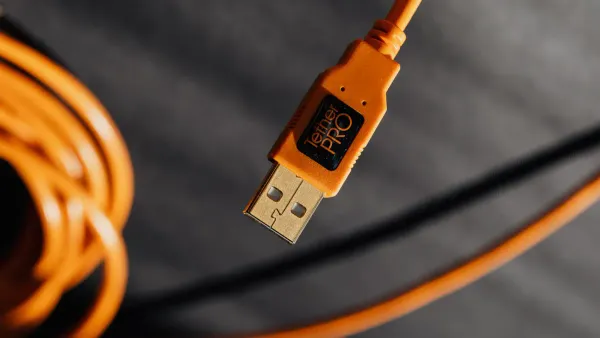
You often find the mini micro USB connector in many small electronic devices. This connector stands out because of its compact shape. The mini USB usually appears anvil-shaped, while the micro USB has a rounded top and flat bottom with a size of about 6.85 by 1.8 millimeters. You use this connector for fast data transfer and reliable charging. Many portable gadgets rely on this USB for connecting to other components in electronic circuits, making it important in today’s tech world.
Key Takeaways
- The mini micro USB connector is essential for charging and data transfer in many small electronic devices.
- Micro USB connectors are smaller and more durable than mini USB, supporting faster data transfer rates up to 480 Mbps.
- Both mini and micro USB connectors have a five-pin configuration, allowing for flexible connections in electronic circuits.
- To ensure compatibility, always check the connector type and USB version needed for your device.
- Proper care of USB cables, like gentle handling and avoiding sharp bends, can extend their lifespan.
Mini Micro USB Connector Features
Size and Shape
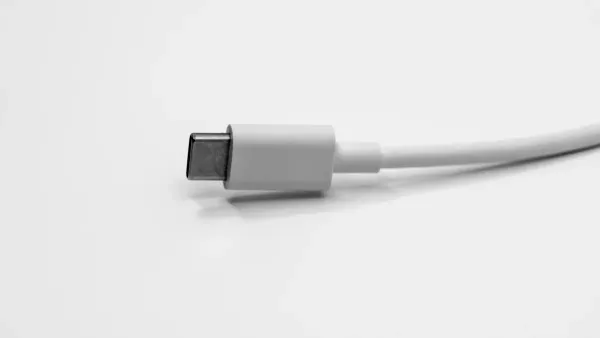
You can spot the mini micro USB connector by its unique shape and size. The mini USB connector has a trapezoidal form, which helps you insert it in only one direction. This design prevents damage to your devices. The micro USB connector looks even smaller and slimmer, with a rounded top and flat bottom. Its compact size makes it perfect for portable devices where space is limited.
Here is a table that shows the standard size and common use for each type:
| Connector Type | Standardized | Common Use Case |
|---|---|---|
| Mini-USB | USB 2.0 (2000) | Early digital cameras |
| Micro-USB | Not specified | Widely used in modern devices |
You often find these connectors in electronic components where saving space is important. Their small size allows engineers to fit more features into a single device.
Pin Configuration
Both the mini USB connector and the micro USB connector use a five-pin setup. This configuration gives you more than just basic power and data transfer. The pins include VBUS (+5V), GND, D+, D-, and an ID pin. The ID pin lets the connector work in different ways, such as acting as a host or a device. This flexibility helps you connect many types of electronic circuits.
Here is a table that breaks down the pin functions:
| Connector Type | Pin Functionality |
|---|---|
| Mini USB | VBUS (+5V), GND, D+, D-, ID (5 pins total) |
| Micro USB | VBUS (+5V), GND, D+, D-, ID (5 pins total) |
The five-pin design improves the connector’s ability to handle both charging and data transfer. For example, the micro USB connector in USB 2.0 can deliver up to 500mA of current, which equals 2.5 Watts. In USB 3.0 versions, it can reach up to 900mA, or 4.5 Watts. This means you can charge your devices faster and transfer data more efficiently.
The ID pin in the micro USB connector also gives you broader compatibility. You can use it as either an A or B type connector, which increases its usefulness in different electronic components and integrated circuits.
Device Compatibility
You will see the mini micro USB connector in many types of consumer electronics. These connectors help you link devices to computers, chargers, or other gadgets. Here are some common devices that use these USB connectors:
- Android mobile phones
- Tablets
- Digital cameras
- GPS devices
- Video game controllers
These devices rely on the mini micro USB connector for both charging and data transfer. The connector’s small size and flexible pin configuration make it a popular choice in the design of modern electronic circuits. When you use these devices, you benefit from a connector that supports reliable connections and efficient power delivery.
Tip: If you work with electronic components or integrated circuits, choosing the right USB connector ensures your device works smoothly and stays compatible with other gadgets.
USB Benefits
Data Transfer
You rely on the mini micro USB connector for fast and reliable data transfer. This connector helps you move data between your device and a computer or other electronic components. The micro USB connector supports speeds up to 480 megabits per second, which is enough for most files and media. Mini USB, now considered outdated, does not have a specified maximum rate. You can see the comparison in the table below:
| Connector Type | Maximum Data Transfer Rate |
|---|---|
| Micro USB | 480 megabits per second |
| Mini USB | Deprecated (no specified rate) |
When you use these connectors in integrated circuits, you get dependable data transfer capabilities for your projects. Many engineers choose micro USB for its balance of speed and size.
Durability
You want your devices to last, and the mini micro USB connector helps with that. The micro USB connector has a rated lifetime of about 10,000 insertion cycles.
This means you can plug and unplug your cable thousands of times before it wears out.
Manufacturers use strong materials and smart designs to make these connectors durable. Here is a table that shows some features that add to their strength:
| Feature | Description |
|---|---|
| Shielding | USB connectors have a metal shell to protect signals from outside noise. |
| Robust power connection | Power pins connect first to prevent damage from incorrect power delivery. |
| Molded strain relief | Plastic overmolding protects the cable and keeps the electrical connections safe. |
These features make the mini micro USB connector a good choice for electronic components and integrated circuits that need to handle frequent use.
Charging Capabilities
You use the mini micro USB connector to charge many portable devices. The connector supports USB 2.0 and USB 3.0/3.1 standards. Here is a table that shows the charging power:
| Specification | Max. Voltage | Max. Current | Max. Power |
|---|---|---|---|
| USB 2.0 | 5V | 500mA | 2.5W |
| USB 3.0/3.1 | 5V | 900mA | 4.5W |
- USB host devices, such as computers, can provide at least 500mA per USB socket.
- This is enough to charge small devices like phones, cameras, and some integrated circuits.
Today, many new devices use USB-C for even faster charging and higher power. Still, the mini micro USB connector remains important in many electronic components and integrated circuits, especially where space is limited.
USB Types Compared
Mini USB vs. Micro USB
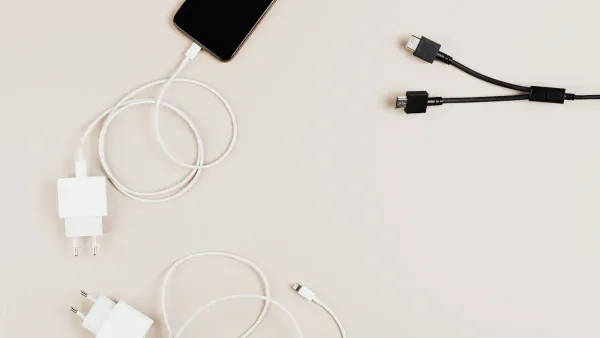
You often see both mini USB and micro USB in electronic components and integrated circuits. These two types of usb connectors look similar, but they have important differences. The mini USB connector is larger and has an anvil or trapezoid shape. You find it in older devices like early digital cameras and MP3 players. The micro USB connector is smaller, with a rounded top and flat bottom. This design fits better in modern portable devices.
Here is a table that shows the main differences:
| Feature | Mini USB (Type B) | Micro USB (Type B) |
|---|---|---|
| Size | 7 x 3.2 mm | 6.85 x 1.8 mm |
| Shape | Anvil/trapezoid | Rounded top, flat bottom |
| Pin Configuration | 5 pins (ID pin less useful) | 5 pins (ID pin more useful) |
| Durability | Fewer cycles | 10,000 cycles |
| Data Transfer Rate | Slower | Up to 480 Mbps |
| Common Use | Early devices | Modern devices |
You get more durability and faster data transfer with the micro USB connector. The ID pin in micro USB also lets you use features like USB On-The-Go (OTG), which helps your device act as a host or a peripheral. This makes the mini micro usb connector a better choice for new electronic circuits and integrated circuits.
Mini Micro USB Connector vs. USB-C
You now see USB-C in many new devices. This connector is smaller, reversible, and supports higher speeds. When you compare the mini micro usb connector to USB-C, you notice some big changes. USB-C can handle more power and faster data transfer. It also works in both directions, so you do not have to worry about plugging it in the wrong way.
Here is a quick comparison:
- Mini Micro USB Connector: Used in many portable devices, supports up to 480 Mbps, and delivers up to 2 Amps of power. You find it in electronic components where space is tight.
- USB-C: Supports speeds up to 10 Gbps, delivers much more power (up to 100W), and works with many types of devices, from phones to laptops.
Note: USB-C is becoming the new standard for usb connectors in electronic components and integrated circuits. However, the mini micro usb connector still plays a key role in devices that need a compact and reliable connection.
The evolution from mini USB to micro USB and now to USB-C shows how device trends change. You get smaller, faster, and more powerful connectors as technology advances. When you work with electronic circuits, you need to choose the right connector for your project. The mini micro usb connector remains important for many applications, even as USB-C grows in popularity.
Relevance Today
Current Usage
You still find the mini micro USB connector in many devices, even as USB-C becomes more common. Many portable and handheld devices rely on micro USB for charging and data transfer. You see these connectors in consumer electronics and industrial applications. The table below shows where you might encounter these USB connectors:
| Industry/Device Category | Description |
|---|---|
| Portable and Handheld Devices | Many devices continue to use micro USB for charging or data despite the shift to USB-C. |
| Industrial Applications | Mini and micro USB connectors are still prevalent in various industrial settings. |
| Consumer Electronics | Specific consumer electronics still rely on these connectors. |
You often use USB connectors with smartphones, MP3 players, GPS devices, printers, and digital cameras. These devices need reliable data transfer and charging. You also find mini micro USB connectors in electronic components and integrated circuits, especially in older models. Micro USB remains relevant because many users still own devices that use this connector.
Note: The use of mini and micro USB connectors is declining as USB Type-C becomes more popular. Micro USB stays important due to a large existing user base, while mini USB mostly appears in niche markets.
Practical Advice
You can make smart choices when working with USB connectors. Follow these steps to ensure compatibility and extend the lifespan of your cables:
- Identify the USB connector type your device needs, such as Micro-USB or Mini-USB.
- Check if the cable supports the correct USB version for your device’s data transfer and power needs.
- Choose cables that match your requirements for charging, data transfer, or video output.
You also find different micro USB types, including Micro USB A, Micro USB B, and Micro B 3.0. Micro USB A has a trapezium shape and fits various devices. Micro USB B is common for charging and data transmission. Micro B 3.0 offers high-speed transfer and backward compatibility.
To keep your USB connectors working well, use these best practices:
- Handle cables gently and avoid yanking.
- Store cables loosely to prevent sharp bends.
- Attach cable protectors to prevent fraying.
- Keep cables away from heat and moisture.
- Clean connectors with a soft brush or compressed air.
- Replace damaged cables.
- Invest in high-quality cables from trusted brands.
Manufacturers choose USB connector types based on compatibility, power needs, and technology trends. You help reduce electronic waste by switching to USB-C, but you still need mini micro USB connectors for many electronic components and integrated circuits. USB-C offers better energy efficiency and universal charging, but micro USB remains useful for older devices.
You rely on the mini micro USB connector for efficient charging and data transfer in many electronic components and integrated circuits. This connector stands out for its small form factor, durability, and wide compatibility.
| Feature/Benefit | Description |
|---|---|
| Small Form Factor | Fits portable devices and integrated circuits easily. |
| Data and Power Transmission | Supports fast data transfer and charging. |
| Durability and Longevity | Withstands frequent use in electronic components. |
When choosing a connector, consider:
- Device compatibility
- Charging needs
- Future upgrades
Always check your device’s port to avoid common mistakes with data or charging.
FAQ
What is the main use of a mini micro USB connector in electronic components?
You use the mini micro USB connector to link devices for charging and data transfer. It connects electronic components and integrated circuits, making it easy to power and communicate with small gadgets.
Can you use a mini micro USB connector for both charging and data transfer?
Yes, you can. The connector supports both charging and data transfer. This dual function helps you connect integrated circuits and electronic components in many portable devices.
Why do some integrated circuits still use mini micro USB connectors instead of USB-C?
Many integrated circuits and electronic components use mini micro USB connectors because they save space and cost less. You often find them in older or smaller devices where USB-C is not needed.
How do you know if your device needs a mini or micro USB connector?
Check your device’s port shape and size. Mini USB looks larger and more trapezoidal. Micro USB is slimmer with a flat bottom. You often see micro USB in modern electronic components and integrated circuits.
Are mini micro USB connectors durable for frequent use in circuits?
You get good durability with these connectors. Micro USB connectors can handle thousands of insertions. This makes them reliable for electronic components and integrated circuits that need regular connections.