MCU and FPGA Pros and Cons for Your Next Design
When you choose between an MCU or FPGA for your next electronic design, you must weigh several core factors. You will notice
When you choose between an MCU or FPGA for your next electronic design, you must weigh several core factors. You will notice differences in flexibility, performance, development ease, power, and cost. The table below highlights how each option stands:
| Factor | MCUs | FPGAs |
|---|---|---|
| Performance | Custom design, high speed | Reprogrammable, some speed loss |
| Power Consumption | Lower | Higher |
| Cost | Lower for large volumes | Lower for small batches |
| Design Flexibility | Limited | Greater, can reprogram |
| Time-to-Market | Longer | Shorter |
You should focus on your project’s needs when making the mcu vs fpga decision.
Key Takeaways
- MCUs are ideal for simple, low-power tasks. They are cost-effective and easier to program, making them suitable for projects like temperature monitoring.
- FPGAs offer high performance and flexibility. They can handle complex tasks and allow for hardware reprogramming, which is beneficial for projects needing rapid changes.
- Consider your project's power needs. MCUs consume less power, making them better for battery-operated devices, while FPGAs may use more power but excel in high-speed processing.
- Evaluate the development time. MCUs typically allow for quicker development with high-level languages, while FPGAs require more time and knowledge of hardware description languages.
- Use a checklist to guide your decision. Assess factors like performance, flexibility, cost, and future scalability to choose the right technology for your design.
Quick Decision
Key Trade-offs
When you look at MCUs and FPGAs, you will see the main differences in how they work for electronic designs. MCUs, or microcontrollers, are small computers on a chip. FPGAs, or field-programmable gate arrays, are chips you can reprogram to do many tasks. You should know the main differences before you choose.
Here is a quick table to help you see the main differences:
| Feature | MCUs (Microcontrollers) | FPGAs (Field Programmable Gate Arrays) |
|---|---|---|
| Cost | Lower | Higher |
| Power Consumption | Low | High |
| Programming | Needs high-level language skills | More user-friendly tools |
| Performance | Good for simple tasks | Great for heavy calculations |
| Memory Handling | Keeps data when off | Loses data when off |
| Use Cases | Embedded systems, controllers | AI, image, and video processing |
| Development Time | Longer | Shorter |
| Flexibility | Less flexible | Highly flexible |
Tip: If you want a chip that uses less power and costs less, MCUs are a good choice. If you need speed and flexibility, FPGAs may fit better.
Choosing MCU or FPGA
You should focus on your project’s needs. If you want to control simple devices or sensors, MCUs work well. They use less power and cost less. If your project needs fast data processing or many tasks at once, FPGAs give you more options. FPGAs let you change the hardware design even after you build your circuit.
Think about these main differences:
- MCUs are best for simple, low-power jobs.
- FPGAs are best for complex, high-speed jobs.
- MCUs take longer to develop but are easier to use for small tasks.
- FPGAs can save time if you need to change your design often.
You should match your choice to your project’s goals. Knowing the main differences will help you make a smart decision.
What is an MCU?
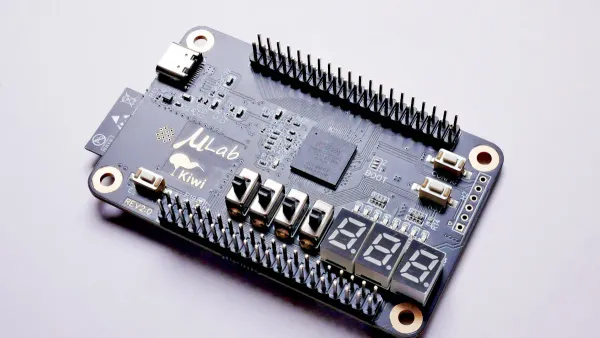
A microcontroller, often called an MCU, is a small computer built into a single chip. You will find a microcontroller at the heart of many electronic devices. The microcontroller combines a processor, memory, and input/output (I/O) peripherals. This design lets you control specific tasks in embedded systems. The processor core handles all the main instructions. The memory stores your programs and data. The I/O peripherals connect to sensors, buttons, and other parts of your circuit. You can think of a microcontroller as a tiny computer that manages one job very well.
Most microcontrollers include RAM for quick data access and EEPROM for program storage. You also get built-in features like timers and analog-to-digital converters. These features make the microcontroller a popular choice for many projects. You will see microcontrollers in smart home devices, toys, medical equipment, and even cars.
Some of the most common MCU architectures include:
- 8-bit MCUs:
- PIC: Used in toys and simple gadgets.
- AVR: Popular in Arduino boards.
- 8051: Found in industrial and medical devices.
- 32-bit MCUs:
- ARM Cortex-M: Used in smartphones and wearables.
- PIC32: Common in industrial automation.
- AVR32: Friendly for both hobbyists and professionals.
- RISC-V: Gaining ground in IoT devices.
MCU Pros
You will notice several key benefits when you use a microcontroller in your design. Here is a table that shows the main advantages:
| Advantage | Description |
|---|---|
| Processing Power | Handles complex computations with higher clock speeds and more RAM/flash. |
| Memory | Wider data paths enable faster transfers and support for large datasets. |
| Peripherals | Advanced interfaces and high-precision ADCs/DACs for modern applications. |
| Coding Efficiency | Processes more instructions per cycle, reducing power and improving performance. |
| Libraries and Drivers | Extensive libraries streamline development, making it easier for you. |
You will also find that MCUs use less power than many other processing solutions. Most microcontrollers operate under 1 watt in active mode. In sleep mode, they use only microamps. This makes the microcontroller ideal for battery-powered devices like wearables and IoT sensors. You can rely on the microcontroller for efficient processing and low energy use.
MCU Cons
While the microcontroller offers many key benefits, you should also know its limits. Some challenges include:
- Assembly and Solderability: MCUs with many small pins can be hard to solder by hand. Mistakes like solder bridges can happen easily.
- Complexity: Larger MCUs have more interfaces and complex clocking schemes. You may need special tools and extra time to set them up.
- Power Consumption: Bigger MCUs use more power, especially at high speeds.
- Thermal Dissipation: Running at top speed creates more heat, which can affect performance and reliability.
You may find that a microcontroller is not the best fit for every project. If you need extreme flexibility or want to reprogram hardware after building your device, a field programmable gate array might suit you better. Still, for most embedded systems, the microcontroller gives you reliable processing, low power use, and easy integration.
What is an FPGA?
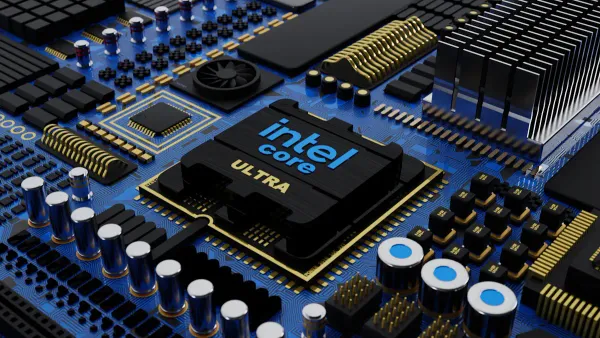
A field programmable gate array, or FPGA, is a special type of integrated circuit. You can program an FPGA to perform many different tasks after manufacturing. This makes it very flexible for electronic design. Unlike a microcontroller, which runs software on a fixed processor, an FPGA lets you build custom hardware circuits inside the chip. You can change the way it works even after you finish your design.
Here are the main parts inside an FPGA:
| Core Component | Description |
|---|---|
| Configurable Logic Blocks (CLBs) | These blocks contain logic elements like gates and flip-flops. |
| Programmable Interconnects | These are pathways that connect different logic blocks. |
| Programmable Input/Output Blocks | These manage how the FPGA talks to other devices. |
| On-chip Memory | This memory stores data and helps with buffering. |
| Digital Signal Processing Blocks | These blocks handle fast math operations for high-performance tasks. |
You will find FPGAs in many industries. Xilinx FPGAs are common in aerospace, automotive, and data centers. AMD FPGAs are known for low power use and strong performance. Both families help you solve complex problems in electronic systems.
FPGA Pros
You get several big advantages when you use an FPGA in your design:
| Advantage | Description |
|---|---|
| Reconfigurable Hardware | You can create custom hardware for your exact needs. |
| Parallel Processing | FPGAs run many tasks at the same time, boosting performance. |
| Real-Time Processing | They handle data quickly, which is great for streaming and fast response. |
| Flexibility and Customization | You can change the design for new tasks, even after you build your device. |
- FPGAs let you build hardware-level solutions that a microcontroller cannot match. You can set up parallel pipelines for tasks like image processing or AI. This gives you high performance and low latency.
- You can also use FPGAs for rapid prototyping. If your project changes, you can reprogram the chip without buying new hardware.
- FPGAs support many I/O options, so you can connect to lots of sensors and devices.
Note: FPGAs often use less power than CPUs for specific tasks, which helps in power-sensitive applications.
FPGA Cons
You should also know the challenges of using FPGAs:
- Programming an FPGA is harder than programming a microcontroller. You need to learn special languages like VHDL or Verilog.
- You must understand digital systems well. The learning curve is steep compared to using C for a microcontroller.
- FPGAs usually cost more than microcontrollers, especially for small projects. The cost can add up if you need many chips.
- Power use is higher than with ASICs or microcontrollers. You have less control over power optimization inside the FPGA.
- ASICs can beat FPGAs in performance and power efficiency for dedicated tasks.
When you choose between a microcontroller and an FPGA, think about your project’s needs. FPGAs give you unmatched performance and flexibility, but you pay more in cost and complexity. For many electronic components and integrated circuits, the right choice depends on your goals.
mcu vs fpga: comparison
When you compare mcu vs fpga, you need to look at several important factors. Each platform has strengths and weaknesses for electronic components and integrated circuits. This section will help you understand how fpga vs microcontroller choices affect your project.
Performance
Performance is a key factor in the mcu vs fpga debate. You want your design to run fast and handle all tasks smoothly. Here is a table that shows how fpga vs mcu compare in terms of speed and throughput:
| Feature | MCUs | FPGAs |
|---|---|---|
| Maximum Clock Speed | Hundreds of MHz | Varies, often higher due to parallelism |
| Throughput | Limited by sequential processing | High throughput due to parallel processing |
| Processing Type | Sequential instruction execution | Parallel execution in dedicated hardware |
You will see that a microcontroller works by running one instruction at a time. This means it can handle simple tasks well, but it may struggle with heavy workloads. In contrast, a field programmable gate array can process many operations at once. This parallelism gives you much higher performance for tasks like image processing or real-time data analysis. If your project needs high-speed data handling, fpga vs microcontroller performance differences become very clear.
Flexibility
Flexibility matters when you want to change your design or add new features. The fpga vs mcu comparison shows big differences here. Look at this table to see how each platform handles flexibility:
| Feature | FPGAs | MCUs |
|---|---|---|
| Reconfigurability | Allows dynamic modification of hardware | Limited to software updates, requires redesign |
| Flexibility in Design | Can test new designs or algorithms flexibly | Requires recompilation for significant updates |
| Customization | Offers exact hardware customization | Limited to software-based solutions |
- FPGAs let you reprogram both hardware and firmware. You can change the way your circuit works without replacing the chip.
- Microcontrollers only let you update the software. If you need to change the hardware, you must redesign your board.
You also get more flexibility with fpga vs microcontroller because FPGAs allow parallel processing. You can run many tasks at the same time. Microcontrollers process instructions one after another, so they are less flexible for complex jobs.
Cost
Cost is always important in electronic design. You want to get the best cost-effectiveness for your project. Here is a table that shows the typical cost range for each platform:
| Component Type | Cost Range |
|---|---|
| Microcontroller | Less than $1 to around $10 |
| FPGA | Starting at $10 to hundreds of dollars |
You will notice that microcontrollers are much cheaper for most projects. This makes them a good choice for high-volume products. FPGAs cost more, but they give you extra performance and flexibility. If you only need a few units or want to test new ideas, the higher cost of an FPGA may be worth it.
When you look at total cost, you must also think about development and support. Here is a breakdown of typical costs for each platform:
| Cost Category | FPGA | MCU |
|---|---|---|
| Design & Development | $10K - $300K | Lower than FPGA |
| EDA Tools & Software | $5K - $100K per year | Lower than FPGA |
| IP Licensing | $0 - $100K | Lower than FPGA |
| Verification | $10K - $200K | Lower than FPGA |
| Masks & Fabrication Setup | $0 (uses existing FPGA) | Higher than FPGA |
| Total NRE | $25K - $600K | Higher than FPGA |
You can see that fpga vs microcontroller projects often have higher upfront costs for tools and development. MCUs offer better cost efficiency for simple designs. FPGAs may be more cost-effective for low-volume or highly customized products.
Power
Power consumption affects battery life and heat in your design. In the mcu vs fpga comparison, microcontrollers use less power. They are ideal for portable devices and sensors. FPGAs use more power because they run many operations at once. If you need to save energy, a microcontroller is usually the better choice. If your project needs high performance and can handle more power use, an FPGA may fit your needs.
Development
Development time and workflow are very different for fpga vs mcu. You should know what to expect before you start your project.
- MCUs use high-level languages like C or Python. You can find many libraries and community support. This makes development faster and easier for simple tasks.
- FPGAs require you to learn hardware description languages like Verilog or VHDL. You need to understand digital logic and hardware design. This makes the process longer and more complex.
Here is a table that compares development time for typical projects:
| Platform | Development Time | Complexity Level | Example Project |
|---|---|---|---|
| Microcontroller | Short | Less complex | Temperature monitoring system (days) |
| FPGA | Long | More complex | High-speed data acquisition system (weeks/months) |
You will find that fpga vs microcontroller development times can differ by weeks or even months. MCUs are better for quick, simple projects. FPGAs are better for advanced designs that need custom hardware.
Tip: If you want to finish your project quickly and keep things simple, choose a microcontroller. If you need high performance and custom features, an FPGA gives you more options.
Decision Guide
Project Checklist
When you choose between an MCU and an FPGA for your next design, you should follow a clear checklist. This helps you match your needs to the right technology for electronic components and integrated circuits.
- Performance and Speed: Decide if your project needs high-speed processing or real-time data handling. FPGAs work best for real-time tasks and complex calculations.
- Flexibility and Scalability: Think about future changes. FPGAs let you reprogram hardware for new real-time features. MCUs offer less flexibility.
- Power Consumption: Check if your device must run on batteries or stay cool. MCUs use less power, but FPGAs can finish real-time jobs faster, sometimes saving energy.
- Cost Implications: Compare unit prices and development costs. MCUs are cheaper for mass production. FPGAs may save money in real-time applications with medium batch sizes.
- Development Tools and Ecosystem: Look at available software, libraries, and community support. MCUs have more resources for beginners. FPGAs need more learning time.
- Logic Resources: Make sure the FPGA has enough logic cells for your real-time design.
- Memory Requirements: Check if the chip has enough memory for real-time data buffers.
- I/O Requirements: Count the pins and interfaces you need for real-time connections.
- Special Resources: See if you need DSP blocks or high-speed transceivers for real-time applications.
- Supply Chain: Confirm the chip’s availability and lifecycle for your real-time product.
Example Use Cases
You can see how real-world projects use MCUs and FPGAs for electronic components and integrated circuits.
- A company tried to process video from eight cameras in real-time using a high-end MCU. The system lagged and became unstable. They switched to an FPGA, which handled real-time video pipelines. The result was latency under 200 microseconds and a big boost in schedule recovery.
- MCUs work well in real-time applications like temperature monitoring, smart sensors, and simple control systems. You get low power and easy setup.
- FPGAs shine in real-time applications such as AI acceleration, image processing, and high-speed data acquisition. You get parallel processing and fast response.
Note: You should match your choice to the real-time needs of your project. MCUs fit simple real-time tasks. FPGAs handle complex real-time applications.
Tips
- Start by listing your real-time requirements. This helps you pick the right chip for your electronic components.
- Use MCUs for low-power, simple real-time applications. Choose FPGAs for high-speed, flexible real-time designs.
- Test your design early. Real-time performance can change with different chips.
- Check community forums for advice on real-time development tools.
- Plan for future updates. FPGAs let you add new real-time features without changing hardware.
Tip: Always balance cost, power, and real-time performance when you select between MCUs and FPGAs.
Choosing between an MCU and an FPGA shapes your electronic design. You should match your technology to your project’s needs. Use the checklist and comparison tables to guide your decision. For complex projects, you can find extra help:
- Fidus offers expert FPGA coding and integration support.
- Online platforms like CodeMentor connect you with FPGA specialists.
- Mentoring and project management services help you choose the right path.
Explore these resources to make the best choice for your integrated circuit design.
FAQ
What is the main difference between an MCU and an FPGA?
You use an MCU to run software on a fixed processor. You use an FPGA to build custom hardware circuits. MCUs work well for simple control tasks. FPGAs handle complex, high-speed jobs in electronic components and integrated circuits.
Can I use both an MCU and an FPGA in one project?
Yes, you can combine both. You might use an MCU for basic control and an FPGA for fast data processing. Many advanced electronic systems use both to get the best performance and flexibility.
Which is easier to program, an MCU or an FPGA?
You will find MCUs easier to program. You use languages like C or Python. FPGAs need special languages like VHDL or Verilog. Learning to program an FPGA takes more time and practice.
Do MCUs or FPGAs use more power?
MCUs use less power. They fit battery-powered devices and small sensors. FPGAs use more power because they run many tasks at once. You should choose based on your device’s power needs.
When should I choose an FPGA over an MCU?
You should pick an FPGA if your project needs high-speed data handling, parallel processing, or custom hardware features. FPGAs work best in advanced electronic components and integrated circuits, like image processing or AI tasks.