How to Achieve Seamless Circuit Integration in Electronic Designs
Good circuit integration improves how devices perform and last longer. Numbers like SAIFI and CAIDI show fewer problems and faster fixes. But as designs get harder, issues like heat, size, and signal mix-ups need smart ideas to solve them.

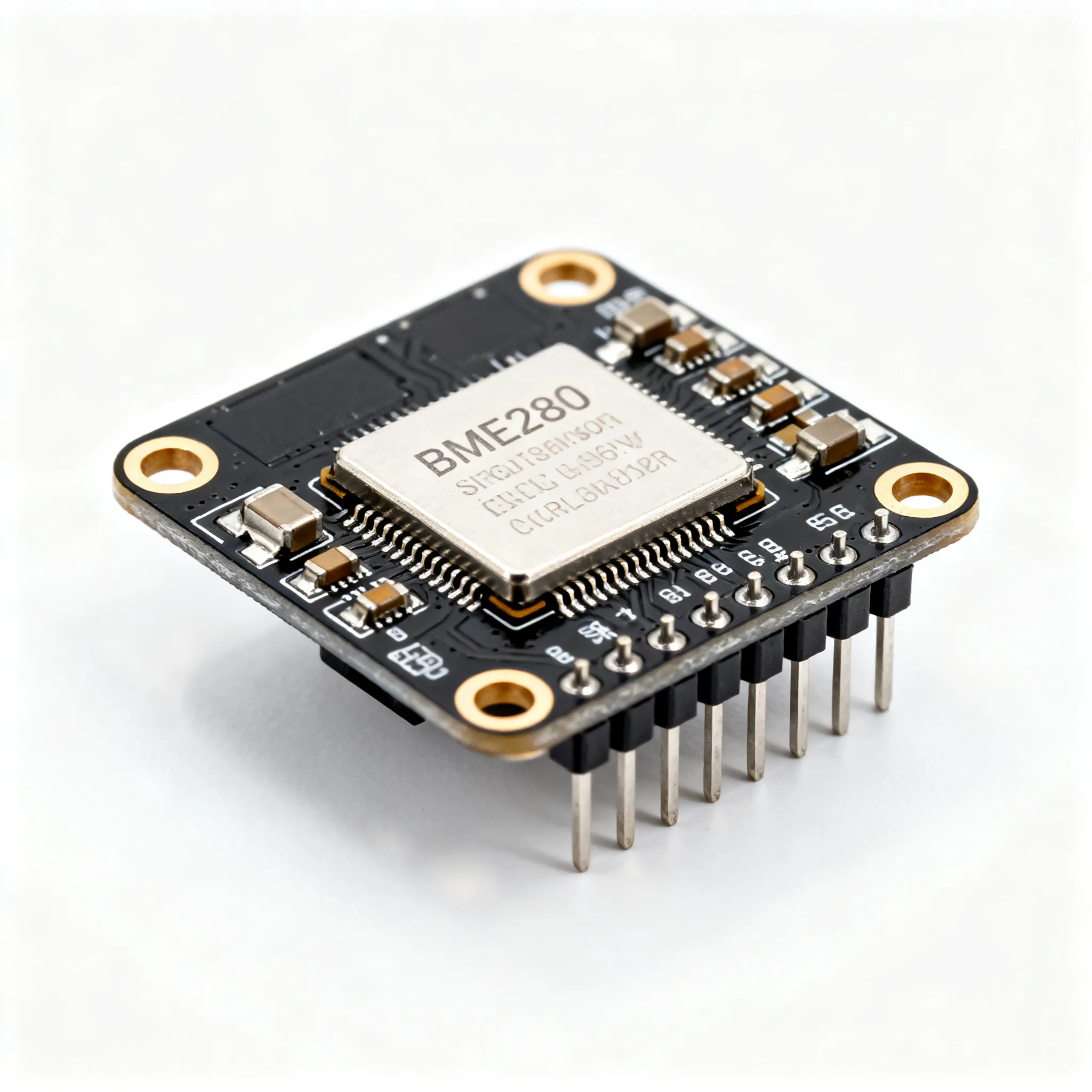
Circuit integration means putting many electronic parts into one system. This method is important for making modern devices better. It helps create gadgets that are smaller, quicker, and work well. For example:
-
A computer chip today has over 1 billion tiny parts.
-
Making circuits follows more than 500 special rules.
Good circuit integration improves how devices perform and last longer. Numbers like SAIFI and CAIDI show fewer problems and faster fixes. But as designs get harder, issues like heat, size, and signal mix-ups need smart ideas to solve them.
Key Takeaways
-
Circuit integration means putting many electronic parts into one system. This makes devices work better and last longer.
-
Managing power well is very important. Use tools like voltage regulators and check power use to stop overheating and keep things steady.
-
Modular design makes fixing and updating circuits easier. You can change parts without messing up the whole system.
-
Try circuit simulation software to test ideas before building. It finds problems early and saves time.
-
Focus on controlling heat in crowded designs. Use materials that spread heat well to keep things cool.
Challenges in Circuit Integration
Signal Interference and Crosstalk
Signals can sometimes mix and cause problems in circuits. When one signal affects another, it can lead to mistakes and slower performance. For example, in a system with two sensors, one sensor worked fine, but the other had issues because of outside interference. This shows why it's important to design circuits that avoid signal problems.
To fix this, you can use shields to block interference. Keeping parts spaced out also helps reduce signal mixing. Using special materials that handle signals well can make circuits work better.
Power Distribution and Management
Good power flow keeps circuits running smoothly. Bad power control can cause overheating, poor performance, or even breakdowns. Big systems, like data centers, show why checking power equipment often is important. These checks help keep power steady and systems working well.
You can improve power control by watching heat levels and using parts that save energy. This makes circuits work better and use less power. Delivering power the right way is key to keeping circuits stable.
Component Compatibility and Miniaturization
Smaller circuits make it harder for parts to work together. More parts packed closely can cause signal problems and make circuits less stable. New materials are now needed to stop interference and keep circuits working properly.
To solve these issues, use advanced materials and careful building methods. Better quality checks also help parts fit together well. By doing this, you can make circuits work smoothly, even when they are very small.
Thermal Management in High-Density Designs
Handling heat in tightly packed designs is very important. When parts are close together, they make more heat. Too much heat can hurt how devices work and shorten their life. If heat is not managed well, it can cause systems to fail or break forever.
To fix this, use materials and methods that remove heat better. For example, scientists made a special Cu-modified graphitic film (GF@Cu). It has great thermal conductivity of 1088 W m−1 K−1. This material stays strong even after 150 heat cycles, losing less than 5% efficiency. Regular graphitic films lose up to 50% under the same tests. These new materials help solve heat problems in tight designs, like in spacecraft or military tools.
Tip: Pick materials with high thermal conductivity to manage heat better and make devices last longer.
You can also improve heat control by designing PCBs to handle heat. Add thermal vias, heat sinks, or thermal interface materials (TIMs) to move heat away from key parts. Spread parts out and use airflow to cool the system for better heat control.
Good heat management keeps circuits safe and working well. By focusing on heat control, you can build strong, reliable devices for today’s technology needs.
Techniques for Seamless Circuit Integration

Strategic Component Selection
Picking the right parts is key to good circuit design. Each part must meet certain needs to make the circuit work well. Focus on these important points:
-
Performance: Choose parts that fit the circuit's power and speed needs. This keeps everything running smoothly.
-
Cost: Find parts that are good quality but not too expensive.
-
Availability: Use parts that are easy to find to avoid delays.
-
Compatibility: Make sure all parts work well together to avoid problems.
-
Lifespan: Pick strong parts that last long and need less fixing.
By focusing on these points, you can make circuits that work well and save money. For example, using digital circuits with assembly language can improve how hardware and software work together. This helps you design simple CPUs and use machine codes, connecting ideas to real-world use.
Effective PCB Layout Design
A good PCB layout is important for smooth circuit integration. Placing and connecting parts the right way improves how the circuit works. Follow these tips:
-
Component Placement: Put related parts close together to make routing easier.
-
Signal Integrity: Place noisy parts near their inputs to reduce signal problems.
-
Thermal Management: Keep high-voltage and low-voltage parts apart to lower heat.
These steps help create better layouts, especially for small designs. Research from UC Santa Barbara shows graphene in PCBs improves performance. It increases noise margins and lowers power use. Graphene circuits solve issues like resistance and energy waste, making them great for modern devices.
Electromagnetic Interference (EMI) Prevention
Stopping EMI is important to keep circuits stable and working well. EMI can mess up signals and cause mistakes. Use these methods to lower interference:
|
Technique Type |
What It Does |
|---|---|
|
Test for emissions and immunity to ensure circuits handle electromagnetic waves. |
|
|
EMI Reduction Techniques |
Use shields, filters, and spread spectrum methods to block interference. |
|
Special Focus |
Check how well shielding works to see its effect on EMI. |
These methods help make circuits that resist interference and work reliably. For example, using shields and EMI filters can cut down unwanted signals. Adding these steps ensures your circuits meet industry rules and work as expected.
Power Management Best Practices
Good power management helps circuits work well and last longer. Bad power control can cause overheating, poor performance, or even system breakdowns. Following smart steps can improve power flow and keep designs working.
-
Use Power Regulators: Add voltage regulators to keep power steady. These parts stop sudden changes that might harm sensitive components.
-
Monitor Power Consumption: Check energy use to find waste. Tools like power analyzers help measure and fix problems.
-
Implement Decoupling Capacitors: Put capacitors near power pins to lower noise. This keeps voltage stable and signals clear.
-
Design for Energy Efficiency: Pick parts that need less power. Energy-saving designs make less heat and work better.
-
Plan for Redundancy: Add backup power sources like batteries. This keeps circuits running during power outages.
Tip: Test your power system under different loads to ensure it stays reliable.
Using these methods makes circuits handle power well, even in crowded designs.
Modular Design for Scalability
Modular design splits big systems into smaller, easier parts. This method makes circuits more flexible, reliable, and easy to change.
-
Advantages of Modular Design:
-
Makes circuits simpler to build and fix.
-
Improves how long circuits last and how easy they are to maintain.
-
Speeds up testing and saves money.
-
Allows changes for different uses or needs.
-
-
How Modular Design Works:
-
Sections can be added or changed without affecting the whole system.
-
Problems are easier to find and fix in specific parts.
-
Teams can work on different sections at the same time.
-
Modular design also helps reuse circuit blocks in PCB layouts. Engineers can make parts that work alone and fit together easily. Broken or old modules can be swapped quickly, saving time and money.
Note: Modular design works well for projects needing updates, like IoT devices or factory systems.
By using modular design, you can create circuits that grow with new needs while staying reliable and efficient.
Tools and Technologies for Circuit Integration
Circuit Simulation Software
Circuit simulation software lets you test designs before building them. These tools show how circuits act in different situations. By simulating, you can spot problems early and save time and money.
Some popular tools are:
-
SPICE (Simulation Program with Integrated Circuit Emphasis): Used for studying analog and digital circuits.
-
LTspice: Fast and accurate, great for power and signal tasks.
-
Multisim: Easy to use for both beginners and experts, with live analysis.
These tools let you try different setups without harming real parts. For example, you can check how circuits handle voltage changes or signal issues. This makes sure your design is strong and ready to use.
Tip: Test your design with simulation software before making prototypes. It avoids costly mistakes and saves time.
PCB Design and Layout Tools
PCB design tools help you make strong and efficient circuit boards. They assist in placing parts, connecting them, and improving the design. Modern tools also help reduce mistakes and make circuits more reliable.
Benefits of using PCB tools include:
-
Predicting how long circuits will last under certain conditions.
-
Helping make better choices with reliability checks.
Popular PCB tools include:
-
Altium Designer: Great for fast designs and multi-layer boards.
-
Eagle: Affordable with many ready-to-use parts.
-
KiCad: Free and good for small projects or beginners.
These tools make designing easier and ensure circuits meet standards. For example, Altium Designer can test heat control and signal quality, making sure your board works well in real life.
Note: Pick a PCB tool that fits your project’s needs and budget. This avoids spending too much while getting good results.
Signal Integrity Analysis Tools
Signal integrity tools keep electrical signals clean and strong. Bad signal quality can cause lost data, slow systems, or failures. These tools help check and fix signal problems so your design works properly.
Features of signal tools include:
-
Finding signal issues during testing.
-
Suggesting ways to improve signal performance.
Popular signal tools are:
-
HyperLynx: Perfect for fast PCB designs, with advanced signal checks.
-
ADS (Advanced Design System): Great for RF and microwave circuit designs.
-
SiSoft: Focuses on fast serial links and memory systems.
For example, HyperLynx can fix problems like crosstalk or mismatched impedance. This keeps signals steady and reliable, even in tricky designs.
Tip: Check signal quality often during design to avoid fixing big problems later.
Automated Testing and Debugging Hardware
Automated testing tools help ensure circuits work as planned. These tools find and fix problems quickly, saving time and reducing mistakes. Unlike manual debugging, which is slow and error-prone, automated systems make the process faster and more accurate.
Why Automation Helps Debugging
Manual debugging takes a lot of time and repeats tasks. Checking each part by hand can miss important errors. Automation uses smart tools to find problems faster and better. For example, AI-powered debugging can cut verification time by over 50%, speeding up the process.
Benefits of Automated Testing
Automated testing tools offer many advantages for circuit design:
-
Faster Problem Solving: They quickly find and fix issues, letting you focus on improving designs.
-
Better Accuracy: These tools follow exact steps, reducing human mistakes.
-
Handles Complex Designs: Automated systems work well with circuits that have many parts.
-
Saves Money: Less time spent debugging lowers costs and speeds up product delivery.
Facts About Automation
Automation makes debugging faster and more reliable. The table below shows key facts:
|
Fact |
What It Means |
|---|---|
|
Debug Time Savings |
AI tools cut verification time by over 50%, saving hours. |
|
Faster Regression Testing |
MediaTek improved testing speed 4x using AI in the Verdi system. |
|
Manual Debugging Problems |
Hand-checking is slow and prone to errors, showing why automation is needed. |
These facts show how automation improves debugging and saves time.
Tools for Automated Testing
There are many tools to help with automated testing:
-
Boundary Scan Testers: Check connections without needing physical probes.
-
Logic Analyzers: Look at digital signals to find timing or logic problems.
-
In-Circuit Testers (ICT): Test parts on a PCB to make sure they work properly.
Tip: Pick tools that match your project’s needs and budget. The right tools save time and effort.
Using automated testing tools makes circuits more reliable and easier to debug. These tools simplify the process and ensure high-quality designs that work well.
Testing and Validation in Circuit Integration
Early-Stage Simulation and Prototyping
Testing starts with simulations and making prototypes. Simulations help predict how circuits will act before building them. Tools like SPICE or Multisim let you test voltage changes or signal problems. This finds issues early, saving time and effort.
Prototypes go further by creating real models. These show how parts work together in real life. For example, a prototype might show heat problems or signal delays that simulations miss. Using both simulations and prototypes makes designs reliable and ready to use.
Tip: Try simulation tools first to spot problems before making prototypes.
Functional Testing for Integrated Circuits
Functional testing checks if circuits work as planned. It ensures all parts fit together and meet design goals.
Benefits of functional testing include:
-
Makes sure PCBs follow design rules.
-
Finds problems early to avoid expensive fixes.
-
Helps meet safety and performance standards.
-
Builds trust by delivering dependable products.
For example, testing can find a bad connection that might cause failure. Fixing such issues improves the circuit’s quality.
Note: Regular testing lowers the chance of returns and keeps customers happy.
Stress Testing for Reliability
Stress testing checks how circuits handle tough conditions. It tests things like high heat, heavy loads, or quick voltage changes. This finds weak spots that could fail later.
A method called Worst-Case Circuit Stress Analysis (WCCSA) is useful. It tests circuits under hard conditions to find their limits. For instance, testing a capacitor with pulsed current showed it wore out over time. This helps fix problems before production.
Stress testing makes circuits stronger and last longer. It ensures they can handle real-world challenges.
Tip: Add stress testing to your process to build durable circuits.
Iterative Validation to Fix Design Problems
Testing your circuit design many times helps find and fix mistakes. This process makes sure your circuits work well and meet standards. It also ensures they perform reliably in real-world situations.
Why Testing Many Times is Important
Mistakes in designs often show up during testing. These problems can include mixed signals or unstable power. Early testing helps find these issues before making the final product. For example, using simulations lets you see how circuits handle voltage changes or signal problems. This step shows weak spots and helps improve the design.
Finding why circuits fail is also very important. Debugging tools check how circuits behave and show where fixes are needed. As designs get more complicated, smarter debugging methods are needed to save time and money.
Tip: Try simulation tools to test your design in different situations. This lowers risks and speeds up production.
Steps to Test and Improve Circuits
-
Start with Simulations: Use software to predict how circuits will act. Tools like SPICE or Multisim can check voltage and signal quality.
-
Test Prototypes: Build models to see how parts work together. This step finds problems that simulations might miss.
-
Debug Problems: Use tools to study failures and fix design issues. Focus on things like signal timing and power flow.
-
Keep Testing: Repeat tests to make your design better each time. This ensures your circuit meets industry rules.
Tracking progress with numbers like error rates helps guide your choices. These numbers show how well your design is improving and meeting goals.
By testing and fixing your design repeatedly, you make circuits that are strong, efficient, and ready to use. This process reduces late-stage problems and improves reliability.
Starting early to solve integration problems is very important. A study showed 62.50% of experts find it hard to manage data integration, proving the need for good planning. Early steps make work easier and results better.
Using smart methods, tools, and careful testing makes designs stronger. For example, modular design and automated testing save time and improve reliability. These ideas help fix problems like signal mixing and heat control.
By using these techniques, you can make circuits work smoothly and build great electronic designs. Begin using these tips now to improve your projects.
Note: Planning ahead and using the right tools lead to dependable designs.
FAQ
What is the most common mistake in circuit integration?
Ignoring signal interference happens often. It can harm performance and cause mistakes. Stop this by adding shields, spacing parts, and testing for EMI.
Tip: Test signal quality early to avoid expensive problems later.
How do you choose the right PCB design tool?
Choose a tool based on your project’s size and cost. Free tools like KiCad are good for small tasks. For bigger projects, use Altium Designer or Eagle for advanced features.
Note: Pick tools that handle heat and multi-layer designs if needed.
Why is modular design important for scalability?
Modular design lets you change parts without redoing the whole system. It makes fixing easier and saves time. This method works well for IoT devices needing updates.
How can you manage heat in high-density circuits?
Use materials like copper or special films to handle heat. Add heat sinks, thermal vias, or fans to cool parts. Spread parts out to improve airflow.
Tip: Check heat performance early to find and fix hot spots.
What tools help with automated testing?
Tools like boundary scan testers, logic analyzers, and ICT are helpful. They find problems fast and ensure circuits meet design rules.
Emoji: 🛠️ Automated tools save time and make testing more accurate.