Is Your 12 Volt AC DC Adapter Safe for Your Device in 2025
Do you know if your ac dc adapter 12 volt is actually safe for your devices? Using the wrong ac adapter can put your devices
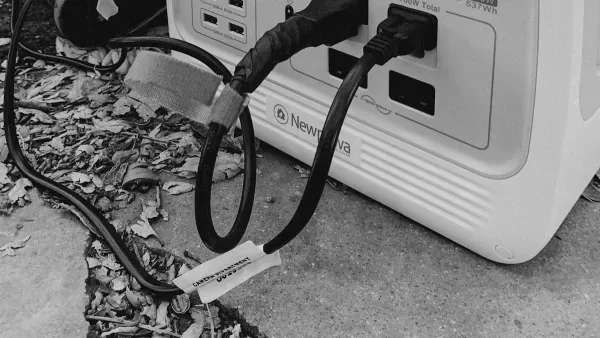
Do you know if your ac dc adapter 12 volt is actually safe for your devices? Using the wrong ac adapter can put your devices at risk. You might face overheating, shock, or even device failure. According to a report by The Guardian, faulty adapters caused at least 12 electrical shock incidents in recent years. You want peace of mind when you plug in your ac adapter. In 2025, checking compatibility and safety matters more than ever because devices keep changing. Make sure your ac dc adapter 12 volt matches your devices before you connect.
Key Takeaways
- Always match your adapter’s voltage exactly to your device’s needs and ensure the current rating meets or exceeds the device’s requirement to avoid damage or overheating.
- Check the polarity and connector fit carefully; wrong polarity or loose connectors can cause device failure or safety hazards.
- Use only certified adapters with safety marks like UL, CE, or TüV Rheinland to ensure reliable protection and avoid counterfeit risks.
- Replace your adapter if it feels hot, makes noise, or shows damage to keep your devices safe and maintain performance.
- Test your adapter’s voltage and polarity with a multimeter or simple tools before use to prevent costly mistakes and protect your devices.
Safety Criteria
Voltage and Current Match
You must match the output voltage of your ac-dc adapter to your device’s requirements. If the voltage is too high, your device can overheat or fail. If the voltage is too low, your device may not work properly. Devices only draw the current they need, so using an ac adapter with a higher current rating is safe. However, if the adapter’s current is lower than your device’s requirements, the power supply can overheat or shut down. Always check both voltage and current before connecting your power supply.
Tip: Look for the output voltage and output current on both your device and the ac adapter label. These numbers must meet your device’s requirements for safe operation.
Polarity and Connector Fit
Polarity matters as much as voltage. Your device needs the correct polarity from the ac-dc adapter. If you reverse the polarity, you risk damaging your device or blowing a fuse. Some devices have polarity protection, but many do not. The connector must also fit snugly. A loose or wrong connector can cause power interruptions or even short circuits.
- Reverse polarity can damage devices or the adapter.
- Using the wrong connector may prevent your device from working.
- Correct voltage with higher current is safe, but lower current can cause overheating.
Certifications and Brands
Safety certifications show that your ac adapter meets strict requirements. Look for marks like UL, CE, or TüV Rheinland. These certifications mean the adapter passed tests for electrical safety, fire resistance, and reliability. Reputable brands such as Anker or original manufacturer adapters offer better reliability and support. Generic adapters often lack certifications and may use poor materials, risking device safety.
| Certification | What It Means |
|---|---|
| UL 62368-1 | Tested for safety in audio/video and IT equipment |
| CE Mark | Meets European safety and health requirements |
| TüV Rheinland | Global safety and quality certification |
Note: Always check for genuine certification marks. Counterfeit adapters may have fake labels. Compare the adapter’s markings and documentation with official sources to ensure authenticity.
Reliable power supply features include overvoltage, overcurrent, and short-circuit protection. These built-in protections help keep your devices safe. Choose adapters that meet all requirements for voltage, current, and safety certifications to protect your devices and ensure long-term reliability.
Risks of Wrong Adapter
Overheating and Damage
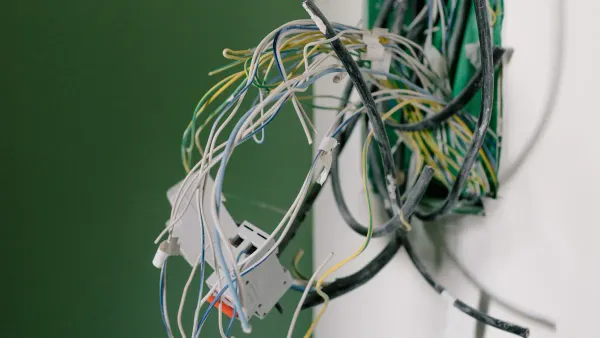
You put your devices at risk when you use the wrong adapter. If the adapter cannot supply enough current, it may overheat. Overheating can damage the 12v 2.5a power supply and your devices. When you connect an adapter with a voltage mismatch, sensitive circuits inside your devices can fry. This damage is often permanent. Many applications need stable power to work well. If the adapter struggles to deliver enough power, you may notice poor performance or even device shutdowns. Signs of trouble include the adapter feeling hot, devices losing power, or seeing physical damage on the adapter itself.
- Excessive voltage can destroy device components.
- Insufficient current leads to overheating and device malfunction.
- Faulty adapters often show no power, intermittent power, or overheating.
Fire and Safety Hazards
Using the wrong 12v 2.5a power supply can create fire risks. If the adapter overheats, it may catch fire, especially if it lacks safety features. Uncertified adapters often skip important protections like temperature control and short-circuit prevention. When you use an adapter with the wrong voltage or current, you increase the chance of fire. Some applications, such as medical devices, need reliable power for safety. Ignoring compatibility can put you and your devices in danger.
⚠️ Always check that your adapter matches the voltage and current your devices need. Certified adapters help prevent fire hazards.
Device Failure
Incorrect adapters cause devices to fail. If you use a 12v 2.5a power supply on a device that needs less voltage, you risk permanent damage. Devices may reset, freeze, or shut down if the adapter cannot supply enough current. Applications that rely on steady power may lose data or stop working. Using the wrong adapter can void your warranty. You may also shorten battery life or lose important files. Certified adapters with proper voltage and current ratings protect your devices and keep performance strong.
- Device malfunction includes slow charging, battery damage, and complete failure.
- Using the original manufacturer's adapter or one that matches voltage and current keeps your devices safe.
- Reliable power ensures your applications run smoothly and your devices last longer.
How to Check Your AC DC Adapter 12 Volt

Read Device Labels
You need to start by reading the labels on your devices and your ac dc adapter 12 volt. These labels show important information that helps you match the right adapter to your devices. Look for the voltage and current values. The voltage must match exactly. If your device needs 12 volts, your adapter must provide 12 volts. The current rating on the adapter should be equal to or greater than what your devices require. Devices only draw the current they need, so a higher current rating is safe.
Check for polarity symbols or diagrams. These show which part of the plug is positive and which is negative. If you use the wrong polarity, you can damage your devices. Make sure the connector fits your devices. Some plugs look similar but have different sizes. If you cannot find polarity markings, you can test polarity with a voltmeter.
- Voltage (V) and current (A) must match your devices’ requirements.
- Polarity indicators (+ or -) help you connect the adapter correctly.
- Connector fit is important for safe operation.
- If polarity is missing, use a voltmeter to check before connecting.
Tip: Always compare the labels on your devices and your ac dc adapter 12 volt before plugging in. This simple step protects your devices from damage.
Verify Output and Polarity
You must verify the output voltage and polarity before using your adapter. Plug your ac dc adapter 12 volt into an outlet. Set a digital multimeter to measure DC voltage. Touch the red probe to the center tip of the adapter plug and the black probe to the barrel. If the reading is close to 12 volts and positive, the polarity matches most devices. If the reading is negative, the polarity is reversed. Switch the probes or check the adapter label.
If you do not have a multimeter, you can use an LED and a resistor. Connect the resistor to the center conductor and the LED’s negative side to the barrel. If the LED lights up, the center is positive. If not, reverse the connections. This method helps you check polarity without special tools.
Never guess the polarity. Incorrect voltage or polarity can damage your devices and the adapter. If you are unsure, contact the manufacturer or get a replacement adapter with known specifications.
⚡ Always test voltage and polarity before connecting your devices. This step prevents costly mistakes and keeps your devices safe.
12V 2.5A Power Supply Example
Let’s use a 12v 2.5a power supply as an example. Many devices, such as LED lights, CCTV cameras, and routers, need a stable 12 volt power supply. The 2.5 amp current rating means the power supply can deliver up to 2.5 amps. Your devices must not need more than 2.5 amps. If your devices need less, the power supply works safely because devices only draw the current they need.
When selecting a power supply, check these requirements:
- Voltage Matching: Make sure your power supply provides a stable 12 volts. Devices like LED lights and CCTV cameras often need exactly 12 volts.
- Current Rating: The 2.5 amp rating should meet or exceed your devices’ needs. If your devices need 2 amps, a 12v 2.5a power supply is perfect.
- Efficiency: High efficiency means less heat and better performance. Efficient adapters save energy and last longer.
- Safety Features: Look for short circuit, over-voltage, and over-current protection. These features protect your devices from electrical faults.
- Brand Reputation: Choose a trusted brand with good support and warranty. Reliable brands offer better efficiency and safety.
- Application Suitability: The 12v 2.5a power supply works with LED lighting, CCTV cameras, routers, and home automation devices.
- Installation: Follow the manufacturer’s instructions. Make sure you have good ventilation and secure connections for safe operation.
Note: When selecting a power supply, avoid variable voltage adapters. Fixed voltage adapters are safer and prevent user error. Always check the connector size and polarity before connecting.
Step-by-Step Checklist for Verifying Compatibility and Safety
- Inspect all electrical connections. Make sure wires are secure and terminals are tight.
- Test circuit continuity with a multimeter. Confirm wiring integrity and check fuses and breakers.
- Check voltage levels. Make sure your ac dc adapter 12 volt and devices match the recommended voltage.
- Simulate typical usage. Power your devices and watch for stable performance.
- Test safety equipment. Make sure circuit breakers and safety devices trip as expected.
- Monitor for heat buildup or strange smells. These signs show possible faults.
- Document your system. Keep diagrams and test results for future troubleshooting.
| Step | What to Check | Why It Matters |
|---|---|---|
| 1 | Connections | Prevents loose wires and shorts |
| 2 | Continuity | Ensures safe wiring and working fuses |
| 3 | Voltage | Matches device requirements |
| 4 | Usage Test | Checks real-world performance |
| 5 | Safety Devices | Protects against overloads |
| 6 | Heat/Odor | Detects faults early |
| 7 | Documentation | Helps with future repairs |
✅ Following this checklist helps you keep your devices safe and ensures your ac dc adapter 12 volt works reliably.
Adapter Considerations for 2025
Updated Standards
You need to know about new safety standards for your ac-dc adapter in 2025. International rules for adapters now follow IEC standards. These rules help keep your devices safe and make sure your power supply meets strict requirements. In the United States, the Department of Energy Level VI standard sets high efficiency for adapters. Europe uses the Ecodesign 2019/1782 rule, which also focuses on efficiency and reporting. Most countries use similar safety and EMC rules, but plug shapes and sizes still differ. You may see adapters with swappable blades to fit different regions. When you look for a 12v 2.5a power supply, always check for updated certifications and make sure the adapter matches your local plug type.
Note: Efficiency standards help your devices use less power and stay cool. This improves performance and reliability for all your applications.
When to Replace
You should replace your ac adapter if you notice problems. Most adapters last between 1 and 1.5 years in always-on applications, especially if they get hot. Cheap adapters often fail sooner because of poor parts and heat. High-quality adapters with good cooling can last over a decade. If your 12v 2.5a power supply feels hot, makes noise, or your devices lose power, it is time to get a new one. Always check for signs of wear or damage. Replacing your adapter keeps your devices safe and helps them meet performance requirements.
- Replace your adapter if it overheats or shows damage.
- Choose a new adapter if your devices need more power or updated efficiency.
- Use a trusted brand for better reliability.
Where to Buy Safe AC-DC Adapter
You want to buy your ac-dc adapter from a reliable source. Jameco Electronics offers many safe adapters, including 12 volt models. They follow strict rules like California Proposition 65 and provide strong customer support. Parts Express also sells certified 12v 2.5a power supply options. They offer clear return policies and list all safety requirements. Buying from these stores helps you meet key considerations for choosing a power supply. You get better efficiency, safety, and performance for your devices and applications.
Tip: When selecting a power supply, always check for certifications, efficiency ratings, and a good return policy.
You can keep your devices safe by following a few simple steps.
- Always match the voltage and current of your adapter to your devices.
- Check the polarity and make sure the connector fits your devices.
- Use only certified adapters to protect your devices from harm.
- Inspect your adapter and devices for damage before each use.
- Unplug the adapter when your devices are not in use.
Certified adapters offer voltage regulation, surge protection, and short-circuit prevention. These features help your devices last longer and keep you safe. Remember, a safe ac dc adapter 12 volt protects both your devices and you.
FAQ
Can you use any 12V adapter for your device?
No, you cannot use any 12V adapter. You must match the voltage, current, polarity, and connector size. Using the wrong adapter can damage your device or cause safety risks.
How do you know if your adapter is certified?
Look for certification marks like UL, CE, or RoHS on the adapter label. You can check the brand’s website for more details. Certified adapters meet safety standards and protect your devices.
When should you replace your AC DC adapter?
Replace your adapter if it feels hot, makes noise, or shows signs of damage. If your device loses power or the adapter stops working, you need a new one. Old adapters may not meet current safety standards.
What happens if you use an adapter with the wrong polarity?
Using the wrong polarity can damage your device instantly. Some devices have protection, but many do not. Always check the polarity symbol before connecting your adapter.
Tip: Always read your device and adapter labels before plugging in. This step helps you avoid costly mistakes and keeps your devices safe.