Reference Designs and SDK Toolchains for HiSilicon Boards
You can speed up your work with HiSilicon single-board computers by using sdk toolchains. These tools help you build, test,
You can speed up your work with HiSilicon single-board computers by using sdk toolchains. These tools help you build, test, and deploy projects with fewer mistakes. Reference Designs give you working examples that show clear solutions. You save time because sdk toolchains handle many steps for you. Developers at every level find these resources useful for learning and improving their projects.
Key Takeaways
- Use the SDK toolchain to simplify your development process. It automates many tasks, allowing you to focus on coding.
- Reference designs provide tested examples for hardware and software projects. They help you avoid common mistakes and speed up your project setup.
- Follow the installation steps carefully to set up your SDK environment. This ensures a smooth development experience on HiSilicon boards.
- Utilize community forums and official documentation for support. These resources can help you troubleshoot issues and learn new skills.
Development with SDK Toolchain
Benefits of SDK Toolchain
You can make your work easier and faster with the sdk toolchain for HiSilicon boards. The sdk gives you a set of tools that help you build, test, and run your projects. You do not need to set up everything by yourself. The sdk toolchain handles many steps for you, so you can focus on your code.
The sdk supports both Makefile and Autotools projects. You can use these popular build systems to organize your code and manage your builds. When you set up the sdk, the setup script creates the right environment variables for the toolchain. This means your Makefile or Autotools project will use the correct compiler and tools. The documentation gives you clear examples and step-by-step guides for both types of projects.
Tip: If you use Makefile or Autotools, you can follow the workflows in the sdk documentation to avoid common mistakes.
Here are some ways the sdk toolchain helps you:
- You save time because the sdk automates many tasks.
- You reduce errors by using tested workflows.
- You get examples and guides for Makefile and Autotools projects.
- You can switch between different projects easily.
- You can focus on your application, not on setting up the build system.
Supported Platforms
You can use the sdk toolchain on many operating systems. The sdk works on Linux, macOS, and Windows. This means you can choose the platform that fits your needs best. The sdk also supports the Zephyr Project toolchains, so you can build real-time and embedded applications.
| Platform | Supported Toolchain | Notes |
|---|---|---|
| Linux | Yes | Most common for development |
| macOS | Yes | Good for cross-platform work |
| Windows | Yes | Use with WSL or native tools |
| Zephyr RTOS | Yes | For embedded projects |
You can start your project on one system and move to another if you need. The sdk toolchain keeps your workflow smooth and simple across all platforms.
Note: Always check the sdk documentation for the latest supported versions and setup steps for your platform.
Reference Designs for HiSilicon Boards
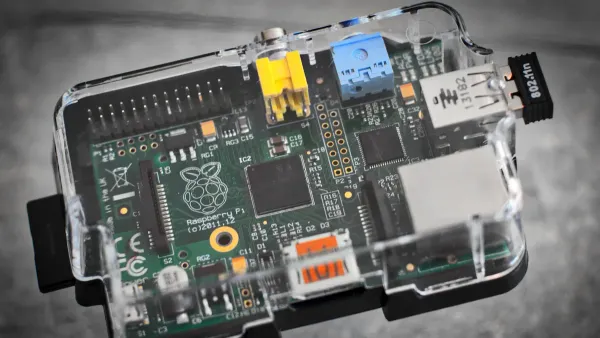
Reference designs help you start your projects faster. You do not need to build everything from scratch. These designs give you tested examples that work well on HiSilicon boards. You can use them to learn, test, and build your own ideas with less risk of mistakes.
Hardware Reference Designs
You can find many hardware reference designs for HiSilicon single-board computers. These designs show you how to connect parts and use the board’s features. You get a clear path to follow when you build your own device. Many developers use the OpenHisilicon framework to get started. This framework supports different boards and lets you change the base board to fit your needs.
Here is a table that shows a common hardware reference design for HiSilicon boards:
| Feature | Description |
|---|---|
| NPU | Yes (AI-dedicated) |
| SoC | HiSilicon Krin 970 |
| RAM | 6GB LPDDR4X 1866MHz |
| Storage | 64GB UFS 2.1 |
| Connectivity | GPS, WiFi, Bluetooth, Gigabit Ethernet |
| Price | $300 |
| Operating Systems Supported | Linux-based, Android-based |
| Target Use Cases | AI, Deep Learning, Robotics |
You can use these reference designs for projects in AI, robotics, or smart devices. The designs help you avoid common hardware problems.
Software Reference Projects
Software reference designs give you working code and project layouts. You can see how to set up drivers, connect to networks, or use AI features. The OpenHisilicon framework includes many software reference designs. You can change these projects to match your own needs. Many developers use these projects to test ideas before building a full product.
Tip: Start with a software reference design to learn how the board works. You can build your own project step by step.
Reference designs save you time and help you avoid errors. You get a strong starting point for both hardware and software projects.
Setting Up SDK Environment
Installation Steps
You can set up the sdk environment for HiSilicon boards by following clear steps. The sdk toolchain helps you build and test your projects with less effort. You need to prepare your Linux system before you start. Here is a simple guide:
- Install the required packages for the sdk toolchain.
Use these commands in your terminal:sudo apt-get install libc6:i386 libncurses5:i386 libstdc++6:i386 sudo apt-get install multiarch-support sudo dpkg --add-architecture i386 sudo apt-get install zlib1g:i386 - Update your
.bashrcprofile.
Add this line to make sure your sdk toolchain works:PATH=${PATH}:/opt/hisi-linux/x86-arm/arm-hisiv300-linux/target/bin/ - Download the sdk package from the official HiSilicon site.
Place the files in your working directory. - Extract the sdk files and check the folder structure.
You should see the cross-compiler and other tools inside the toolchain folder.
🛠️ If you see download interruptions or checksum mismatches, try downloading the sdk again. Move the extracted folder to the sdk directory. Run your environment as an administrator if you have permission issues.
Configuration Tips
You can make your sdk toolchain work better by following some tips. The Linux Development Environment User Guide gives you step-by-step help for Hi3798Mv100 and Hi3798Cv200 SoCs. Here is what you should do:
- Read the guide to learn how to compile the sdk for your SoC.
You will find instructions for both Hi3798Mv100 and Hi3798Cv200. - Customize your sdk configuration before you start compiling.
Change settings to match your board and project needs. - Follow the instructions for burning the board.
This step helps you deploy your project after building it with the cross-development toolchain.
🔎 Always keep your sdk and toolchain up to date. This helps you avoid compatibility problems and makes your workflow smoother.
You can now use your sdk toolchain to build and deploy projects on HiSilicon boards. The setup process gives you a strong foundation for development.
Building Projects with Toolchain
You can build your project on HiSilicon boards using the sdk toolchain. This section shows you how to compile, install, and deploy your project. You will learn best practices for Makefile and Autotools projects. You will also see how to solve common build problems. These steps help you create reliable gpu-accelerated edge-computing solutions and deep learning applications.
Makefile Projects
You can use Makefile to organize and build your project. The sdk toolchain supports Makefile-based workflows. You should follow best practices to keep your project easy to manage and error-free.
- Compile source files with clear comments. This helps you understand your project later.
- Group related rules by function. You can find build targets quickly.
- Optimize your build process. Use parallel execution and reduce dependencies. This saves time when you build deep learning models.
- Define pattern rules for repetitive tasks. Pattern rules make your project easier to maintain.
💡 Tip: Use variables like
$@and$<in your Makefile. These variables reduce code duplication and make your project cleaner.
Many developers face build errors. You can avoid most problems by managing dependencies and targets carefully. Here is a table that shows common errors and solutions:
| Common Error | Description | Resolution |
|---|---|---|
| Improperly defined dependencies | 80% of build failures happen because of this. | Use GCC's -MD option for automatic dependency generation. |
| Ambiguous target dependencies | 35% of developers see outdated targets due to this issue. | Define all target dependencies clearly in your Makefile. |
| Misuse of wildcard patterns | Broad patterns can trigger unnecessary recompilation. | List files precisely instead of using *.c. |
| Overlooked command failures | 67% of developers miss invalid return statuses. | Check shell command outputs for errors and stop the build if needed. |
You can fix most build issues by following these steps. You will spend less time debugging and more time building your gpu-accelerated edge-computing project.
Autotools Projects
You can use Autotools to automate your project build process. The sdk toolchain works well with Autotools. You should follow these steps to build and deploy your project:
- Create a clean directory for your project. Go to that directory.
- Add your source files, such as
hello.c,Makefile.am, andconfigure.in. - Source the cross-toolchain environment setup file. This prepares your sdk for building deep learning applications.
- Generate files that follow GNU coding standards.
- Run
autoreconf -ito create theconfigurefile. - Cross-compile your project with
./configure ${CONFIGURE_FLAGS}. - Build and install your project using
makeandmake install DESTDIR=./tmp. - Check your installation with
file ./tmp/usr/local/bin/hello. - Run your project by typing
./hello.
🛠️ Tip: Always start with a clean directory. This helps you avoid old files that can break your build.
You can use Autotools for large deep learning projects. The sdk toolchain makes it easy to set up and deploy your project on HiSilicon boards. You can focus on your code and let the toolchain handle the build steps.
Deployment Steps
You need to deploy your project after building it with the sdk toolchain. Deployment puts your gpu-accelerated edge-computing or deep learning application onto the HiSilicon board. You should follow these steps:
- Copy the compiled files to your board using secure copy (
scp) or a USB drive. - Set the correct permissions for your project files. Use
chmod +xfor executables. - Run your project on the board. Check the output to make sure everything works.
- Monitor resource usage. Deep learning projects can use a lot of memory and GPU power.
- Test your project with real data. This helps you find problems before you release your application.
🚀 Note: If your project fails to run, check the sdk toolchain version and library paths. Update your sdk if you see compatibility issues.
You can deploy your project quickly if you follow these steps. The sdk toolchain helps you move from development to deployment with less effort. You can build, test, and run deep learning and gpu-accelerated edge-computing projects on HiSilicon boards.
HiSilicon Single-Board Computers
Applications and Use Cases
You can use HiSilicon single-board computers in many different applications. These single-board devices work well in smart homes, display panels, and home appliances. You see single-board computers in smart devices that control lights, thermostats, and security systems. These single-board solutions help you build edge computing applications for real-time data processing.
HiSilicon single-board computers support applications in media and entertainment. You can stream videos, play games, and enjoy interactive content. Many single-board computers power commercial displays in schools, stores, and public places. You find single-board computers in smart city projects, where they help manage traffic and public safety. These single-board platforms also support smart mobility, including advanced driver-assistance systems and vehicle-to-everything technology.
Here is a table that shows common application areas for HiSilicon single-board computers:
| Application Area | Description |
|---|---|
| Smart Home | Integration of HiSilicon technology in home automation and IoT devices. |
| Media & Entertainment | Use in devices for streaming, gaming, and other entertainment applications. |
| Smart City | Applications in urban management and efficiency improvements. |
| Commercial Displays | Utilization in various display technologies across industries like advertising and education. |
| Smart Mobility | Involvement in advanced driver-assistance systems (ADAS) and vehicle-to-everything (V2X) tech. |
You can create edge computing applications for each area. These single-board computers give you flexibility and power for many types of applications.
Supported Chipsets
HiSilicon single-board computers use advanced chipsets. You can choose the chipset that fits your applications. The Hi3796CV300 and Hi3798C V200 chipsets offer strong performance for single-board projects. You get fast CPUs, powerful GPUs, and support for AI features. These chipsets help you run edge computing applications and multimedia tasks.
Here is a table with key specifications for supported chipsets in HiSilicon single-board computers:
| Feature | Hi3796CV300 | Hi3798C V200 |
|---|---|---|
| CPU | Octa-core 64-bit Arm Cortex-A73 | Quad core Cortex A53 |
| GPU | Mali-G52 MC6 | ARM Mali-T720 |
| NPU | Independent NPU with 9 TOPS | N/A |
| Video Decoding | 8Kp120, H.265, AVS3, AV1 | 10-bit up to 4Kp60, HEVC, H.264, VP9 |
| Memory | DDR3/4, LPDDR4/4X | DDR3 or DDR4 |
| Connectivity | Flexible connection solutions | Dual Gigabit Ethernet, USB 3.0, SATA |
| Video Output | N/A | HDMI 2.0a TX |
| Storage | N/A | SATA, 2x SDIO |
| Security | N/A | Advanced DRM and CAS, Trustzone |
You get many developer resources for these chipsets. You can use development kits for fast prototyping. AI frameworks help you add smart features to your single-board computers. SDKs and APIs give you tools for building applications. Technical support helps you solve problems and optimize your edge computing applications.
| Resource Type | Description |
|---|---|
| Development Kits | Ready-to-use platforms for faster prototyping. |
| AI Frameworks | Tools for integrating and optimizing AI capabilities. |
| SDKs and APIs | Comprehensive libraries for software development. |
| Technical Support | Access to expert guidance for troubleshooting and optimization. |
You can use these resources to build strong single-board computers for many applications. HiSilicon single-board computers give you the tools you need for smart devices, display panels, and home appliances.
Resources and Support
Documentation
You can find many resources to help you learn about HiSilicon SDK toolchains and reference designs. The official documentation gives you step-by-step guides for building and testing your software. You see clear instructions for using Makefile and Autotools projects. The guides show you how to set up your environment and work with different types of software. You get details about the Yocto Project, which helps you manage software for embedded systems. The manuals explain how to develop, profile, and trace your software. You also find a GitHub repository with examples and extra documentation for HiSilicon chips.
Here is a table with some important documents:
| Title | Description |
|---|---|
| Using the SDK Toolchain Directly | Instructions for using the SDK toolchain with Makefile and Autotools-based software projects. |
| Yocto Project Software Overview | Overview of the software available in the Yocto Project. |
| Application Development and the Extensible SDK (eSDK) | Covers application development using the Extensible SDK for software. |
| Board Support Package (BSP) Developer's Guide | Guide for developers working on Board Support Packages for software. |
| Development Tasks Manual | Outlines various development tasks for software. |
| Linux Kernel Development Manual | Information on Linux kernel development for software. |
| Profile and Tracing Manual | Covers profiling and tracing in the SDK for software. |
| Reference Manual | Reference manual for the SDK and software. |
| HiSilicon SDK GitHub Repository | Repository containing various SDKs for HiSilicon chips, including software documentation and examples. |
📚 You can use these documents to learn new skills and solve problems when working with software on HiSilicon boards.
Community Forums
You can join community forums to ask questions and share ideas about software development. Many developers use forums to get help with SDK toolchains and reference designs. You find answers to common problems and learn new ways to use software. Forums help you connect with other users who build projects with HiSilicon boards.
You can follow these steps to try a recommended tutorial for software projects:
- Create a working directory and add files like
hello.c,configure.ac,Makefile.am, andREADMEfor your software project. - Source the cross-toolchain environment setup file to prepare your software environment.
- Cross-compile your software project using the command
./configure ${CONFIGURE_FLAGS}. - Use
makeandmake install DESTDIR=./tmpto build and install your software. - Run your software project on the target hardware.
💡 You can find more tutorials and example software projects in the HiSilicon SDK GitHub repository and on developer forums.
You get support from both official guides and the community. You can learn faster and build better software by using these resources.
You can build reliable projects with HiSilicon boards by following clear steps. Use SDK toolchains and reference designs to save time and reduce errors. Explore more resources to deepen your skills:
📚 Keep learning and use structured tools to make your development process smooth and successful.
FAQ
What is a HiSilicon SDK toolchain?
You use the HiSilicon SDK toolchain to build and test software for HiSilicon boards. The toolchain gives you compilers, libraries, and scripts. You do not need to set up everything by yourself.
How do you fix build errors with Makefile projects?
You check your dependencies and targets in the Makefile. You use the -MD option with GCC for automatic dependency generation. You read error messages and follow tips in the SDK documentation.
Can you use HiSilicon boards for AI projects?
Yes, you can use HiSilicon boards for AI projects. Many boards have NPUs for deep learning. You find software reference designs and SDKs that help you build AI applications.
Where do you find help if you get stuck?
You visit official documentation and community forums. You ask questions and read tutorials. You find answers in the HiSilicon SDK GitHub repository.
💡 Tip: Always check the latest guides before starting a new project.