How to Apply Typical Capacitor Values for Better Results
You get better results in your circuit when you apply typical capacitor values that match your design needs. Each capacitor
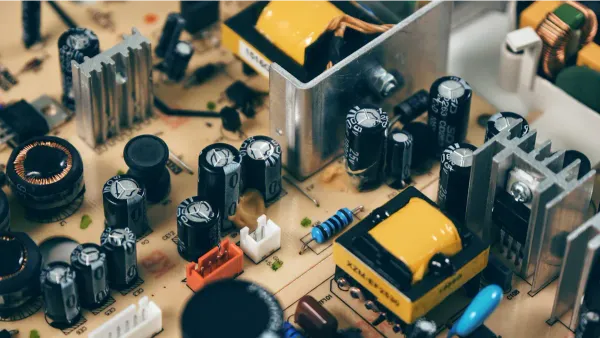
You get better results in your circuit when you apply typical capacitor values that match your design needs. Each capacitor works best when you use it for the right job, like filtering, timing, or decoupling. You should always check not just the capacitance, but also the voltage rating, ESR, ESL, and temperature limits. Small changes in capacitor value can shift timing, change filter performance, or cause noise problems, as shown below:
| Circuit Parameter | Impact of Tolerance |
|---|---|
| Timing Circuits | A 20% tolerance on a 10 μF capacitor can cause a frequency deviation of up to 20%. |
| Filter Design | Tolerance shifts the cutoff frequency, affecting signal quality. |
| Decoupling | Variations can lead to inadequate noise suppression, causing circuit instability. |
When you master these basics, you build more reliable and effective electronic circuits.
Key Takeaways
- Choose the right capacitor value for your circuit's needs. Match capacitance to applications like filtering, timing, or decoupling for optimal performance.
- Always check the voltage rating of capacitors. Select a rating at least 50% higher than your circuit's maximum voltage to ensure safety and reliability.
- Understand key capacitor characteristics such as ESR and ESL. Low ESR is crucial for effective noise filtering, especially in high-frequency circuits.
- Use typical capacitor values wisely. Small values work for high-frequency applications, while larger values are best for energy storage and smoothing voltage.
- Verify capacitor values before use. Check markings, use capacitance meters, and consult datasheets to avoid common selection mistakes.
How Capacitors Work
Capacitance and Charge Storage
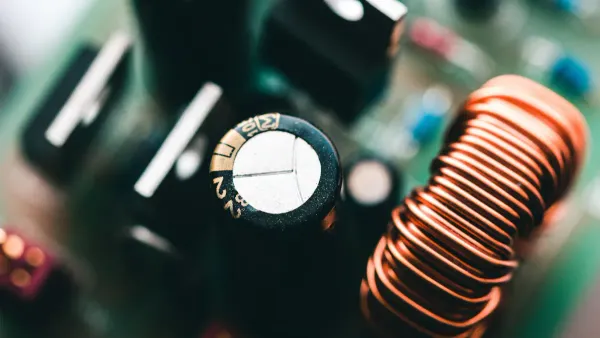
You need to understand how capacitors work to design a reliable circuit. A capacitor stores energy by holding electric charge on two plates separated by a dielectric. The amount of charge a capacitor can store depends on its capacitance. Capacitance measures how much charge the capacitor can hold for a given voltage. You can find capacitance using the formula C = Q/V, where C is capacitance, Q is charge, and V is voltage.
The way a capacitor stores charge depends on three main factors:
- The surface area of the plates
- The distance between the plates
- The dielectric material between the plates
A larger plate area or a smaller distance increases capacitance. A better dielectric also boosts capacitance. In a DC circuit, a capacitor charges almost instantly when you apply voltage. Once charged, it blocks further current. In an AC circuit, the capacitor charges and discharges as the current changes direction. This lets AC flow while blocking DC.
| Aspect | Explanation |
|---|---|
| Definition of Capacitance | Capacitance is the ratio of maximum charge stored to the applied voltage. |
| Charge Storage Relationship | Higher capacitance means more charge stored for the same voltage. |
| Factors Affecting Capacitance | Larger plates, smaller distance, and better dielectric increase capacitance. |
You often use capacitors with high capacitance, like tantalum electrolytics, when you need to store a lot of charge. For safety, you should pick a voltage rating at least double your circuit voltage.
Key Capacitor Characteristics
When you select a capacitor, you must look at more than just capacitance. You need to know how capacitors work in different conditions. The most important characteristics include:
- Working voltage: The highest voltage the capacitor can handle safely.
- Leakage current: The small current that leaks through the dielectric.
- Tolerance: How much the actual capacitance can vary from the stated value.
- Working temperature: The temperature range where the capacitor works well.
- Temperature coefficient: How capacitance changes with temperature.
- Nominal capacitance: The labeled capacitance value.
- Equivalent Series Resistance (ESR): The resistance inside the capacitor that affects AC performance.
Tip: Always check the datasheet for these characteristics before you use a capacitor in your circuit. This helps you avoid problems like overheating or poor filtering.
You see how capacitors work by storing and releasing charge, but their performance depends on these key features. If you match the right capacitance and characteristics to your circuit, you get stable and reliable results.
What Are Capacitors Used For
Capacitors play a vital role in almost every electronic circuit you use today. When you ask, "what are capacitors used for," you find that they serve many purposes, from energy storage to signal filtering. You see capacitors in smartphones, computers, and even cars. Their ability to store and release energy, stabilize voltage, and manage timing makes them essential for modern technology.
Filtering and Smoothing
You often use a capacitor for filtering in power supply circuits. Filtering helps remove unwanted noise and smooths out voltage changes. When you connect a capacitor across a power supply, it stores energy during voltage peaks and releases it during dips. This action reduces ripple and creates a steady DC output. Filtering is important for devices that need clean power, like microcontrollers and audio circuits.
- Capacitors reduce ripple voltage by storing and releasing energy.
- Filtering converts a bumpy DC signal into a smoother one.
- The size of the capacitance affects how much ripple the capacitor can handle.
Tip: For better filtering, choose a capacitor with higher capacitance. This gives you a smoother output and protects sensitive components.
Timing and Oscillation
You use capacitors in timing circuits to control how long something happens. In an RC circuit, the capacitor charges and discharges at a rate set by its capacitance and the resistor value. This process sets the timing for things like blinking lights or sound generation. Oscillator circuits also use capacitors to create repeating signals. The value of the capacitance decides the frequency of these signals.
A timing capacitor works with a resistor to set the charge and discharge cycles. This setup lets you control timing intervals and frequencies in your circuit. You see this in clocks, timers, and pulse generators.
Decoupling and Noise Reduction
Decoupling capacitors help keep your circuit stable by reducing noise and voltage spikes. You place these capacitors close to the power pins of integrated circuits. They provide quick bursts of energy when the circuit needs it most. This action stops sudden drops in voltage and blocks high-frequency noise.
| Capacitor Type | Application |
|---|---|
| 0.1 μF Ceramic | High-frequency noise suppression near IC power pins |
| 10 μF Tantalum | Handles lower-frequency fluctuations further away |
Even if a capacitor is not perfect, placing it close to the IC works much better than having no capacitor at all. Decoupling and filtering together keep your circuit running smoothly and protect it from unwanted signal filtering problems.
Typical Capacitor Values

Common Value Ranges
You often see typical capacitor values listed in picofarads (pF), nanofarads (nF), and microfarads (µF). Each value range fits different capacitor applications. For example, small values like 1.0 pF or 10 pF work well for high-frequency circuits, while larger values like 10 µF or 1000 µF are common in power supply filtering. The table below shows standard values you will find in most designs:
| Value (pF) | Value (nF) | Value (µF) |
|---|---|---|
| 1.0 | 0.001 | 0.000001 |
| 10 | 0.01 | 0.00001 |
| 100 | 0.1 | 0.0001 |
| 1000 | 1 | 0.001 |
| 10,000 | 10 | 0.01 |
| 100,000 | 100 | 0.1 |
| 1,000,000 | 1000 | 1.0 |
| 10,000,000 | 10,000 | 10 |
You can also see these values in a simple list:
- 1.0 pF
- 10 pF
- 100 pF
- 1000 pF
- 0.01 µF
- 0.1 µF
- 1.0 µF
- 10 µF
- 100 µF
- 1000 µF
- 10,000 µF
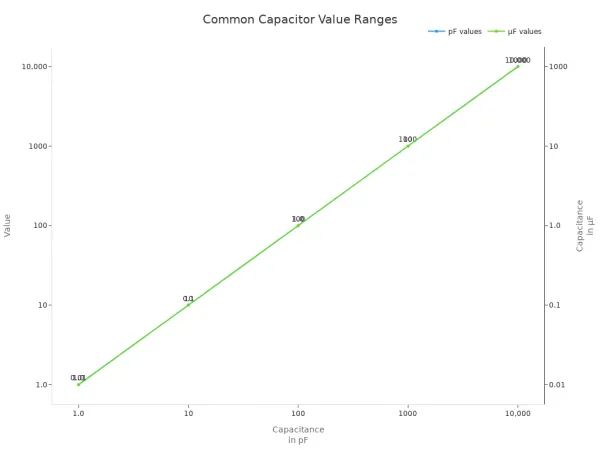
You choose typical capacitor values based on the job you want the capacitor to do. For example, you use small values for signal coupling or high-frequency filtering. You use large values for energy storage or smoothing out voltage in power supply filtering.
Different types of capacitors fit different needs. Ceramic types cover a wide range of values and work well for decoupling capacitors for microcontrollers. Electrolytic types handle large capacitance and are best for power supply filtering. Tantalum types give you stable performance in timing circuits.
| Application Type | Typical Capacitor Type | Characteristics |
|---|---|---|
| Filtering | Electrolytic | Large capacitance, used for reducing ripple voltage |
| Timing | Tantalum | Stable frequency output, can handle small AC voltages |
| Decoupling | Aluminium Electrolytic | Used for coupling and decoupling AC and DC signals |
Choosing the Right Value
You need to match the typical capacitor values to your circuit’s needs. Start by looking at the application. For filtering, pick a value large enough to smooth out voltage changes. For timing, use a value that sets the right time constant with your resistor. For decoupling, choose a value that blocks noise at the frequencies you want.
When you select a capacitor, always check the voltage rating. The voltage across a capacitor should never go above its rated value. A good rule is to pick a voltage rating at least 50% higher than the highest voltage in your circuit. This keeps your capacitor safe and reliable.
PCB design also affects your choice. The layout can add extra capacitance, especially at high frequencies. This is called parasitic capacitance. It can change how your circuit works, especially in high-speed designs. The table below shows how PCB tracks can affect your circuit:
| Impact Area | Description |
|---|---|
| Signal Integrity | Excessive capacitance can lead to signal distortion and reflections. |
| Power Distribution | It affects the impedance of power delivery networks. |
| EMI/EMC | Capacitive coupling can contribute to electromagnetic interference. |
| High-Speed Design | As frequencies increase, the impact of parasitic capacitance becomes more pronounced. |
Note: Always consider the physical layout and track lengths when you design high-frequency circuits. Parasitic effects can change the effective capacitance and cause problems.
You also need to think about the types of capacitors. Ceramic types work well for high-frequency noise filtering, but at very high frequencies, they can act more like inductors than capacitors. This happens because of their equivalent series inductance (ESL) and resistance (ESR). When you use ceramic capacitors in high-speed designs, check their behavior at the frequencies you care about.
You see different series of values, like E3 and E6, in analog and digital circuits. These series give you a range of standard values to choose from. The E6 series, for example, includes values like 10, 15, 22, 33, 47, and 68. This helps you pick the closest match for your design.
When charging a capacitor, the time it takes depends on both the capacitance and the resistance in the circuit. You use this property in timing circuits and oscillators. Charging a capacitor also plays a role in how well your circuit filters noise or stores energy.
Tip: Always check the datasheet for the types of capacitors you use. Look for information about capacitance, voltage, ESR, and temperature range. This helps you avoid problems and get the best results.
You can see that typical capacitor values, the types of capacitors, and the way you use them all work together to make your circuit reliable. By understanding capacitance, voltage, and the effects of PCB design, you make better choices for every capacitor application.
Capacitor Selection Tips
Voltage Rating and Temperature
When you select a capacitor for your circuit, you must pay close attention to voltage rating and temperature. These two factors have a big impact on reliability and performance. If you use a capacitor near or above its rated voltage, you risk overheating and shortening its lifespan. High temperatures speed up the aging process, especially in electrolytic capacitors. This can increase leakage current and lead to failure.
- High temperatures accelerate aging, causing more leakage current and a higher risk of failure.
- Operating a capacitor near its rated voltage increases internal heating and pressure, reducing its lifespan.
- Excessive voltage can generate internal gas and self-heating, which may damage the capacitor.
You should always choose a voltage rating that exceeds the highest voltage your circuit will see. For most applications, select a capacitor with a voltage rating at least 50% higher than your working voltage. In high-power circuits, avoid picking a voltage rating that is much higher than needed, because this can affect performance. If you need a higher voltage rating, you can use capacitors in series, but remember that this reduces overall capacitance.
Tip: Place capacitors away from heat sources on your PCB. This helps keep temperature low and extends the life of your components.
ESR and ESL Considerations
You must consider ESR (Equivalent Series Resistance) and ESL (Equivalent Series Inductance) when you choose a capacitor for switching power supplies and high-frequency circuits. ESR affects how well a capacitor filters noise and ripple. High ESR at the input can increase high-frequency noise, making your filtering less effective. At the output, high ESR leads to more ripple, which can destabilize your control loop.
- Increased ESR causes more power loss and higher ripple voltage.
- Low ESR is important for stable operation in high-frequency applications.
- Capacitors with low ESR work best in output filters to reduce low-frequency ripples.
ESL becomes important in high-speed digital circuits. High ESL increases impedance and can cause unwanted current flow and electromagnetic interference (EMI). This can degrade performance and stability. Minimizing ESL ensures effective filtering and stable power delivery.
- ESL adds inductance in series with capacitance, raising impedance at higher frequencies.
- High ESL can build up magnetic fields, interfering with current rise and fall in fast circuits.
Note: Always check the datasheet for ESR and ESL values before you select a capacitor. This helps you avoid problems in switching power supplies and high-speed designs.
Verifying and Identifying Values
You need to verify and identify a capacitor value during circuit assembly to make sure your design works as planned. You can use several methods to check the value and quality of your capacitors.
- Decoding Capacitor Codes: Learn to read alphanumeric codes and color bands. These markings show capacitance, tolerance, and voltage rating.
- Using Capacitance Meters: Measure capacitance directly, especially for capacitors with faded or missing markings.
- Visual Inspections: Look for clear markings and compare them to your schematic or bill of materials.
To check if a capacitor is faulty, remove it from the circuit and discharge it. Connect a known resistor in series, apply voltage, and measure how long it takes to reach 63.2% of the applied voltage. Use the time constant formula to calculate capacitance.
You can use a multimeter with a capacitance function to measure the actual value. This is helpful for identifying a capacitor value when markings are unclear. For small components, use a magnifying glass. Always cross-reference with the manufacturer’s datasheet and consider the context of your circuit. Watch for worn or damaged markings.
| Common Mistakes in Capacitor Selection | How to Avoid Them |
|---|---|
| Overlooking voltage ratings | Always check and choose a safe voltage margin |
| Ignoring temperature coefficients | Select capacitors rated for your operating temperature |
| Choosing the wrong capacitance value | Match the value to your circuit’s needs |
| Disregarding ESR | Pick low ESR for switching power supplies |
| Neglecting lifespan and reliability | Use quality components and check datasheets |
If your circuit fails due to incorrect capacitor selection, follow these troubleshooting steps:
| Step | Description |
|---|---|
| 1 | Check if the ripple current matches the capacitor’s specifications. |
| 2 | Select a capacitor considering ripple current allowed by capacitance, temperature, and frequency multipliers. |
| 3 | Evaluate allowable ripple current based on ambient temperature, ESR, thermal resistance, and cooling. |
| 4 | Understand that temperature rise from ripple current can cause capacitor failure. |
Tip: Always verify the capacitor’s value and voltage rating before soldering it into your circuit. This simple step prevents many common problems.
You can avoid most issues by following these steps and paying attention to the details. Careful selection and verification help you build reliable and high-performing electronic circuits.
You improve your circuit designs when you understand how a capacitor works and where to use it.
The simple construction of a capacitor belies its extensive usage throughout a circuit. The dielectric forms the basis of the charge-storage capabilities of the capacitor, improving capacitance for a given voltage due to the electrical permittivity of the dielectric material.
Careful selection of values, voltage ratings, and ESR leads to better performance and reliability.
- You ensure reliable operation and longer life for your electronic systems.
- You enhance efficiency and stability by following best practices.
Keep learning about new technologies and testing methods. Explore more resources to deepen your knowledge and build high-performing circuits.
FAQ
What happens if you use the wrong capacitor value in a circuit?
If you use the wrong value, your circuit may not work as expected. For example, timing circuits can run too fast or too slow. Filters may not block noise. Always double-check your values.
How do you read capacitor values on small components?
You often see numbers or codes printed on the body. For example, "104" means 100,000 pF or 0.1 µF. Use a capacitance meter if you feel unsure.
Tip: Check the datasheet for code explanations.
Can you mix different types of capacitors in one circuit?
Yes, you can mix types. You often use ceramic capacitors for high-frequency noise and electrolytic capacitors for bulk energy storage. Mixing helps cover a wider frequency range.
Why do you need to consider ESR and ESL in high-speed circuits?
High ESR or ESL can cause unwanted noise and reduce filtering. Your circuit may become unstable. Always choose capacitors with low ESR and ESL for high-speed or switching circuits.
What is the safest way to test a capacitor before using it?
Use a capacitance meter or a multimeter with a capacitance setting. Make sure you discharge the capacitor first.
Never test a charged capacitor. This can damage your meter or cause injury.