Advanced Camera AI on the Edge in 2025
Your journey to high-performance camera AI on the edge starts with hardware. You should choose a HiSilicon SoC with a powerf
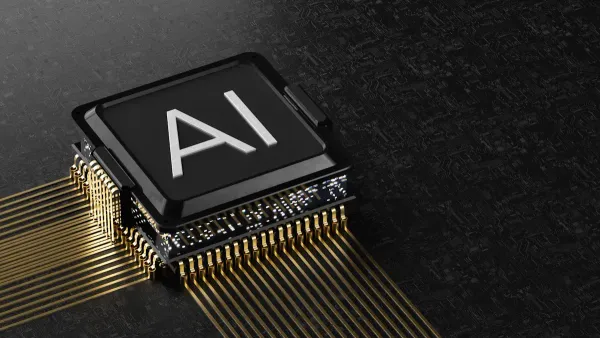
Your journey to high-performance camera AI on the edge starts with hardware. You should choose a HiSilicon SoC with a powerful NPU. This choice is your foundation for success.
The key to unlocking maximum AI performance is a zero-copy data pipeline. This efficient method lets the image processor on the SoC feed the NPU directly.
Mastering this process involves three core ideas. You must understand pipeline architecture, smart AI-aware image tuning, and NPU model optimization.
Key Takeaways
- Choose a HiSilicon SoC with a powerful NPU. This hardware choice is important for good camera AI.
- Create a zero-copy data pipeline. This connects the ISP and NPU directly. It makes your AI run faster and use less power.
- Tune the ISP for your AI model. This means adjusting camera settings to help the AI see better, not just for human eyes.
- Optimize your AI model for the NPU. Use INT8 quantization to make your model smaller and faster. This helps it run well on edge devices.
THE MODERN CAMERA AI STACK:

On a modern mobile SoC, you are not working with a single processor. You are conducting an orchestra of specialized hardware accelerators. Understanding how these parts work together is crucial for building a powerful camera AI system on the edge. The two most important players in this orchestra are the Image Signal Processor (ISP) and the Neural Processing Unit (NPU).
THE ISP'S ROLE IN PRE-PROCESSING:
Think of the ISP as the NPU's smart assistant. Its job is more than just making pictures look good. In an AI pipeline, the ISP acts as a hardware accelerator for pre-processing. It prepares the image data perfectly for the neural network. For example, your AI model might need a small 224x224 pixel image, but your camera sensor captures a large 4K image. The ISP uses a dedicated output pipe to resize the image directly, saving you from doing this slow step in software. It also handles tasks like converting color spaces to match what your neural network expects.
THE NPU'S DA VINCI ARCHITECTURE:
The Neural Processing Unit is the brain of your AI operation. HiSilicon's Da Vinci NPU architecture provides the raw power for AI inference. Its design delivers incredible performance for complex AI workloads.
The heart of the Da Vinci architecture is its "3D Cube" computing unit. This specialized AI core is designed to accelerate the matrix math that forms the basis of all neural network calculations.
This unique structure allows the NPU to perform thousands of operations in a single clock cycle. It supports multiple data precisions, making it flexible for different stages of AI development and ensuring efficient, low-power inference. This is the engine that provides hardware acceleration for AI inference.
THE ISP-NPU DATA BRIDGE:
The true magic happens when the ISP and NPU work together. They form a direct data bridge on the SoC, creating a powerful feedback loop. This is how it works:
- The NPU uses its vision processing power to detect a person in the frame.
- It tells the ISP the exact location of that person.
- The ISP then adjusts its own settings, like exposure and focus, on that specific area to capture a much clearer image of the person.
- This improved image is sent back to the NPU for more accurate AI analysis.
This tight collaboration boosts overall system performance and the final accuracy of your AI.
INSIDE THE MOBILE SOC:
You have the key components: the ISP and the NPU. Now, you need to connect them inside the mobile SoC. This section gives you the practical steps to build a high-performance data pipeline. You will learn how to configure the hardware, manage memory efficiently, and bind the components together in code. This process is essential for your camera AI application on the edge.
CONFIGURING THE ISP OUTPUT:
Your first step is to tell the ISP how to prepare the image data for your AI model. Your neural network has specific input needs. For example, it might expect a 224x224 pixel image in a BGR color format. You must configure an ISP output channel to match these requirements exactly.
You can achieve this using the HiSilicon Media Process Platform (MPP) APIs. Here is a simple guide:
- Define Channel Attributes: You create a structure in your code to hold the settings.
- Set Resolution: You specify the exact width and height your neural network needs.
- Set Pixel Format: You choose the color format that matches your model's input layer.
- Apply Configuration: You call a function like
HI_MPI_VI_SetChnAttr()to apply these settings to a specific ISP channel on the mobile SoC.
This direct configuration offloads all pre-processing work to the ISP hardware. Your main application code receives data that is already perfect for AI inference.
EFFICIENT MEMORY MANAGEMENT:
Poor memory management can cripple your application's performance. On an ARM-based SoC, you must handle memory with care to avoid common problems.
- Fragmentation: Allocating and freeing memory can leave small, unusable gaps. Eventually, you cannot find a large enough block, even with enough total free memory.
- Memory Leaks: Forgetting to free allocated memory slowly consumes all available resources, leading to system crashes.
- Lost References: Pointers to memory can be lost, making it impossible to free the memory later.
To avoid these issues, you should not use standard dynamic memory allocation. Instead, you must allocate memory from a dedicated Video Buffer (VB) pool on the SoC. This gives you a contiguous block of physical memory.
The NPU works best with this type of memory. For optimal data access, the NPU uses memory bursts. This method requires data to be in a single, unbroken block. Using a function like HI_MPI_VB_GetBlock from the HiSilicon MPP library ensures your data is perfectly aligned for the NPU. This technique is fundamental for building a fast and stable mobile AI chip application that delivers consistent, low-power performance.
BINDING THE PIPELINE IN CODE:
The final step is to create the physical data connection on the SoC. You are telling the mobile SoC to send the ISP's output directly to the NPU's input. This "binding" creates the zero-copy pipeline. It eliminates the need for the CPU to copy data, which saves time and power.
You use a single, powerful function to make this connection: HI_MPI_SYS_Bind. This function takes the source (ISP channel) and the destination (NPU) as arguments.
Here is what the code looks like in C/C++:
// Define the source of the data (ISP video output channel)
MPP_CHN_S stSrcChn;
stSrcChn.enModId = HI_ID_VI;   // Module ID for Video Input
stSrcChn.s32DevId = 0;        // Device ID
stSrcChn.s32ChnId = 0;        // Channel ID

// Define the destination for the data (NPU)
MPP_CHN_S stDestChn;
stDestChn.enModId = HI_ID_NNIE; // Module ID for Neural Network Inference Engine
stDestChn.s32DevId = 0;       // Device ID
stDestChn.s32ChnId = 0;       // Channel ID

// Bind the ISP channel directly to the NPU
HI_S32 s32Ret = HI_MPI_SYS_Bind(&stSrcChn, &stDestChn);

if (s32Ret == HI_SUCCESS) {
    // The zero-copy pipeline is now active!
    // The ISP will automatically feed the NPU.
}
With this simple call, you have orchestrated the hardware on the mobile SoC. The ISP now directly feeds the NPU, enabling maximum AI inference performance for your neural network. This is the core of modern embedded AI development.
AI-AWARE ISP TUNING:
Building the pipeline is just the first step. You must now tune the ISP with your AI model in mind. Traditional ISP tuning makes images look good to the human eye. AI-aware tuning, however, optimizes the image data for your neural network. This shift in thinking is critical for achieving the best AI performance on your mobile SoC.
OFFLOADING PRE-PROCESSING TASKS:
You can use the ISP to do more than just resize images. Think of it as a dedicated pre-processor for your AI application. The ISP can handle complex tasks like geometric distortion correction from a wide-angle lens. This ensures your neural network receives a clean, undistorted image. Offloading these jobs to the ISP frees up CPU resources and creates a more efficient system for your edge device.
OPTIMIZING FOR AI ACCURACY:
An image that looks perfect to you might confuse your AI model. Settings that improve human vision can sometimes hurt machine vision. For example, aggressive noise reduction might remove important details that your model needs for accurate inference.
Studies show that changing ISP settings from a standard configuration can lower object detection performance. The key is to find the right balance for your specific AI task.
- Different neural network architectures react differently to ISP changes. A ResNet50 backbone, for instance, may be more sensitive to blurring from noise reduction.
- You can improve model robustness by training your AI with images that have various ISP settings applied.
- There is a limit to this improvement. Your model will always need a minimum level of sharpness to perform well.
Your goal is to tune ISP parameters like contrast, saturation, and denoising to maximize inference accuracy, not just visual appeal. This co-design approach improves overall system performance.
THE AI-TO-ISP FEEDBACK LOOP:
The most advanced technique is creating a feedback loop where the AI directly controls the ISP. The NPU analyzes a frame and tells the ISP how to adjust for the next one. This creates a smart, self-correcting vision system on the SoC. For example, an "Infinite-ISP" system uses this method to make real-time adjustments.
- Auto White Balance (AWB): The NPU can help the ISP ignore overexposed areas to calculate a more accurate white balance.
- Auto Exposure (AE): The AI can analyze the image histogram and tell the ISP to adjust the digital gain, correcting the brightness for better analysis.
This tight loop between the NPU and ISP ensures the camera is always capturing the best possible data for your AI.
NPU MODEL OPTIMIZATION:
Your data pipeline is built. Now you must optimize your AI model for the Neural Processing Unit. A model trained on a powerful server will not run efficiently on a low-power edge device without changes. You need to make your model smaller and faster to get the best performance from the mobile SoC. This process involves quantization, using the right operators, and careful testing.
INT8 MODEL QUANTIZATION:
You can dramatically speed up your model by changing its data type. Most deep neural networks are trained using 32-bit floating-point numbers (FP32). Quantization is the process of converting your model to use 8-bit integers (INT8). This makes your model four times smaller and significantly boosts inference speed. This is essential for demanding AI workloads on the SoC.
An AI benchmark test shows a massive performance jump. A model running at 12 frames per second with FP32 can reach 30 frames per second with INT8.
| Precision | FPS (Frames Per Second) |
|---|---|
| FP32 | 12 |
| INT8 | 30 |
You can use tools like the TensorFlow Lite converter to perform this optimization. The tool analyzes your model and converts it to the INT8 format, preparing it for the NPU.
# This example shows how to convert a model to INT8
import tensorflow as tf
converter = tf.lite.TFLiteConverter.from_saved_model(saved_model_dir)
converter.optimizations = [tf.lite.Optimize.DEFAULT]
# ... other settings to enforce INT8 quantization
tflite_quant_model = converter.convert()
USING NPU-FRIENDLY OPERATORS:
The NPU is a specialized processor. It is designed to accelerate specific mathematical operations used in neural networks. To achieve maximum performance, your AI model should use these "NPU-friendly" operators.
HiSilicon's Da Vinci npu architecture provides hardware acceleration for core operations, including:
- Convolution
- Pooling
- Activation
- Full link
If your model uses operators that are not on this list, they will run on the slower CPU. This creates a bottleneck. You should modify your neural network to replace unsupported operators with hardware-accelerated ones. For example, you can use techniques like operator fusion to combine multiple simple operations into a single, NPU-friendly one.
PROFILING AND DEBUGGING:
Optimization is not a one-time step. You must test and verify your changes. Profiling tools help you analyze your model's performance on the hardware. They show you exactly how much time each layer of your model takes to run during inference.
Using an AI benchmark tool, you can identify which layers are running on the NPU and which are falling back to the CPU. This information is critical. It helps you find bottlenecks and confirm that your quantization and operator changes were successful. This final check ensures you are getting the best possible AI performance for your edge application.
THE FUTURE OF ISP-NPU FUSION:
The tight bond between the ISP and NPU is just the beginning. You are witnessing a revolution in how computer vision systems are designed. The future points toward a complete fusion of these components, creating smarter, faster, and more efficient camera AI systems. This evolution follows key ai chips technology trends that will redefine what is possible on the edge.
TIGHTER HARDWARE INTEGRATION:
Chip designers are physically moving the ISP and Neural Processing Unit closer together on the mobile SoC. This tighter integration on the silicon shortens the data's travel path. The result is a significant boost in performance and a reduction in energy use. This makes the entire ARM-based SoC more efficient. You get faster inference with less battery drain, a critical goal for all mobile and low-power applications. This integration is a core step toward next-generation low-power inference chips.
AI-DRIVEN ISP PIPELINES:
The next great leap is an ISP pipeline driven entirely by AI. Instead of you tuning the ISP, a neural network will do it automatically. The AI will adjust image parameters in real time to capture the best data for a specific vision task. Recent research shows this is already happening.
Pioneering projects demonstrate this concept:
- ParamISP uses a neural module to control ISP functions based on camera settings like exposure and sensitivity.
- AdaptiveISP uses reinforcement learning to build the best ISP pipeline for object detection, boosting performance.
EMERGING EDGE USE CASES:
This powerful fusion unlocks a new wave of applications for AI edge devices. Your future products will have vision capabilities that seem like science fiction today. Smart home cameras will not just detect motion; they will understand context and identity with incredible accuracy. In automotive, cars will perceive road conditions with greater clarity, making driving safer. These low-power systems will bring advanced AI from the cloud directly to the edge, enabling powerful, real-time decision-making everywhere.
You now have the keys to top performance. You build a zero-copy pipeline on the mobile soc, tune the ISP for your neural network, and optimize your model for the npu.
Mastering this synergy on the mobile soc unlocks the best camera ai results.
The future of the edge is a fully ai-driven soc. You should embrace this new design for your next neural ai project.
FAQ
Why is a zero-copy pipeline so important?
You need a zero-copy pipeline for speed and efficiency. It stops the CPU from copying data between the ISP and NPU. This direct hardware link saves power and makes your AI application run much faster on the edge device.
Do I need a special chip for this?
Yes, you get the best results with a specific mobile SoC. You should choose a chip with a powerful NPU and an ISP that you can link together. HiSilicon chips are a great example for this task.
What is INT8 quantization?
Quantization makes your AI model smaller and faster. You change the model's math from complex 32-bit numbers to simple 8-bit integers.
This simple change can make your model run over twice as fast on the NPU!
Is this process difficult to learn?
It looks complex at first. However, the core steps are simple. You use specific API functions like HI_MPI_SYS_Bind. The tools from chip makers help you build your pipeline step-by-step. You can master this process.