Understanding the 4 Pin Molex Plug for Modern Devices
A 4 pin molex plug helps you supply power to many computer parts. You often find this plug in desktop computers where it pow
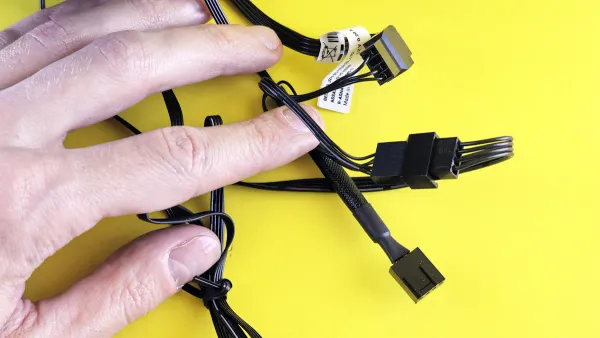
A 4 pin molex plug helps you supply power to many computer parts. You often find this plug in desktop computers where it powers fans, hard drives, and optical drives. The plug includes two ground wires, one wire for +12V, and one for +5V. Even though newer systems use different connections, the molex design still appears in custom PC builds. You might need to understand the 4 pin molex plug if you work with older or mixed hardware. Many users trust the molex connector for its simple and reliable power delivery.
Key Takeaways
- The 4 pin Molex plug delivers reliable power to computer parts like fans, hard drives, and optical drives using a simple four-wire design.
- Its sturdy rectangular shape and locking mechanism keep connections secure, even in devices that move or vibrate.
- You can use Molex connectors in computers, cars, and industrial machines because they handle high current safely and resist harsh conditions.
- Molex plugs remain useful for older hardware and custom PC builds, offering easy installation and flexible power options.
- Compared to newer connectors, Molex plugs focus on power delivery without data transfer and work best for devices needing steady, simple power.
4 Pin Molex Plug Basics
What Is a 4 Pin Molex Plug
You often see the 4 pin molex plug when you work with desktop computers or older electronics. This four-pin connector helps you deliver power to different parts inside your device. The 4 pin molex connector uses a simple pin-and-socket design. Each plug has four wires: two black ground wires, one yellow wire for +12V, and one red wire for +5V. The rectangular shape and nylon housing make it easy to plug in and remove, but the metal springs inside keep the pins locked in place so the connection stays secure.
The 4 pin molex plug stands out from other power connectors because it focuses only on power delivery. Unlike modern SATA connectors, which can handle both power and data, the standard 4 pin molex connector only sends electricity. You will find it much simpler than connectors with more pins or extra features. This design makes the 4 pin molex connector reliable and easy to use, especially when you need to power older hard drives, fans, or optical drives.
Tip: If you ever need to split power between two devices, you can use a Y-shaped four-pin connector. This lets you power more than one component from a single 4 pin molex plug.
You should also know about the voltage and current ratings for the 4 pin molex connector. Here is a table that shows the typical values:
| Parameter | Value / Description |
|---|---|
| Voltage ratings | 12V (yellow wire), 5V (red wire) |
| Typical current rating | 5A to 8.5A per pin (commonly used in practice) |
| Maximum theoretical current | Up to 11A per pin with 14 AWG wire |
| Total max current (4 pins) | Up to 44A theoretically (4 pins × 11A), but rarely used in practice due to derating factors |
| Practical current limit | Around 5A per pin to avoid overheating and ensure safety |
| Wattage calculation | Wattage = Voltage × Current (e.g., 12V × 8.5A = 102W max) |
| Factors affecting ratings | Wire gauge, connector design, ambient temperature, wire length, connector housing temperature limits |
You can see that the 4 pin molex connector can handle a lot of power, but you should always stay within safe limits to avoid overheating.
History and Evolution
The 4 pin molex plug has a long history in the world of computers. You first saw this connector in older desktop systems, where it powered hard drives, floppy drives, and even some cooling fans. People often call it a peripheral power connector because it supplied electricity to many different parts inside a computer.
When you look back, you notice that the 4 pin molex connector became a standard before SATA power connectors existed. Its main job was to deliver 12V and 5V power to devices like PATA (IDE) hard drives and optical drives. This made it a key part of early computer builds. The connector is different from the 4 pin ATX +12 volt power cable, which came later and is used for CPU power.
Over time, new connectors like SATA became popular because they offer better performance and more features. Still, you will find the standard 4 pin molex connector in many older systems and some industrial machines. Its simple design, strong locking mechanism, and ability to handle high current make it useful even today. If you work with legacy hardware or need a durable power connection, you will likely use a 4-pin molex at some point.
4 Pin Molex Connector Pinout
Physical Design
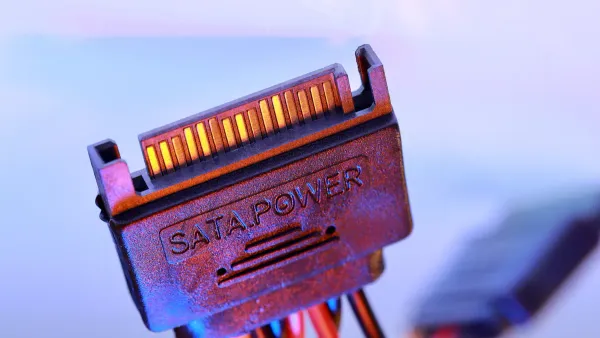
When you look at a 4 pin molex connector, you notice its sturdy and practical shape. The connector uses a rectangular nylon housing that feels solid in your hand. You see a 2x2 pin layout inside, with each pin spaced 4.20 mm apart. This grid-like arrangement helps you line up the connector easily with its socket. The crimp pins inside hold the wires tightly, so you get a reliable connection every time.
Here are some key physical features you should know:
- The 4 pin molex connector uses a rectangular shape with a grid of four pins.
- Each pin sits 4.20 mm apart, making it easy to match up with the socket.
- The nylon housing resists wear and heat, so it lasts a long time.
- Crimp pins grip the wires securely for stable power delivery.
- The design works well for small PCBs and tight spaces.
- You get a locking mechanism and polarization, which means you cannot plug it in the wrong way or knock it loose by accident.
- The connector uses flame-retardant thermoplastic (UL94V-0 rated), so it stays safe even if things get hot.
You can trust the 4 pin molex connector to stay connected, even if your device shakes or moves.
Pin Functions
Each pin in the 4 pin molex connector has a clear job. You need to know what each one does to avoid mistakes when wiring or troubleshooting. Here is a simple table that shows the pinout and function for each wire:
| Pin Number | Wire Color | Function | Typical Voltage |
|---|---|---|---|
| 1 | Yellow | +12V Power | 12V |
| 2 | Black | Ground | 0V |
| 3 | Black | Ground | 0V |
| 4 | Red | +5V Power | 5V |
- The yellow wire gives you +12V power, which many fans and motors need.
- The red wire supplies +5V, often used by hard drives and other electronics.
- The two black wires are grounds. They help balance the current and keep your devices safe.
The 4 pin molex connector stands out for its ability to handle high current. Each pin can carry up to 11 amps, but you should keep the current closer to 5 amps per pin for safety. If you use adapters, you might lower the current rating, so always connect the cable directly from the power supply when possible.
The robust design of the 4 pin molex connector includes features that protect your devices. The locking mechanism and polarization prevent accidental disconnects and incorrect connections. The connector works in a wide temperature range, from -25°C to +85°C, so you can use it in many environments. The low contact resistance and high insulation resistance help your devices run smoothly and safely.
Note: The 4 pin molex connector is still a popular power and io connector for many legacy and custom devices. Its simple design and strong build make it a trusted choice for reliable power delivery.
Molex Connectors Applications
Computer Hardware
You often see the 4 pin molex connector in desktop computers and older electronics. This power supply connector plays a big role in keeping your devices running. You use it for connecting hard drives, CD/DVD drives, and some case fans. These components need steady power, and the molex 4-pin peripheral delivers it well.
Most power supply units include at least one molex 4-pin power supply cable. You use this cable to connect legacy hard drives or optical drives that do not support newer SATA connectors. Some case fans also rely on the molex 4-pin peripheral for power, especially in custom builds or older cases. Fan controllers often use the 4 pin molex connector as their main power input. This setup lets you control several fans from one spot, making cooling easier.
Here is a quick list of common uses of the 4 pin molex connector in computer hardware:
- Powering legacy hard drives and CD/DVD drives
- Connecting fans that do not use modern connectors
- Supplying power to fan controllers for centralized fan management
- Supporting older lighting kits or add-on cards
Tip: If you need to power more than one device, you can use a Y-shaped molex 4-pin peripheral splitter. This tool lets you share power from one connector to two devices, which helps when your power supply units have limited cables.
You may notice that not all new power supply units include molex connectors. However, many still do because some users need to support older devices. The molex 4-pin power supply remains important for anyone who works with mixed or legacy hardware.
Automotive and Electronics
You also find the 4 pin molex connector in automotive and industrial electronics. In cars, the molex 4-pin power supply connector is popular for mid-range power needs. You use it to connect devices that need a strong and reliable contact system. The connector can handle up to 13 amps per pin, which makes it a good choice for both power and signal transmission in vehicles.
In industrial settings, you see molex connectors in robotics and factory equipment. The SL Modular Connector System uses the 4 pin molex connector for wire-to-wire and wire-to-board connections. These connectors have features like positive-lock mating and terminal position assurance locks. These features keep the connection secure, even in places with lots of vibration.
Here are some key applications for the 4 pin molex connector outside of computers:
- Automotive wiring for power and signal connections
- Industrial robots and machines that need vibration-resistant connectors
- Modular system designs where you need flexible and stackable connectors
- Equipment that requires reliable connections in harsh environments
The molex 4-pin peripheral also works well in modular systems. You can use it with other molex product families, such as C-Grid and KK, to build flexible and expandable designs. High-temperature headers and automated manufacturing options make these connectors a smart choice for modern factories.
Note: The strong locking system and high current rating of the 4 pin molex connector help prevent accidental disconnects. This makes it a trusted power supply connector in many tough environments.
You see that the uses of the 4 pin molex connector go far beyond just computers. Its design and reliability make it a favorite in many fields, from connecting fans in your PC to powering equipment in your car or factory.
Benefits of Molex Connector
Reliability and Durability
You want your devices to work in tough conditions. The molex connector gives you secure connections that last. Precision-machined pin receptacles and strong locking mechanisms help prevent accidental disconnects. You can trust these connectors in places with lots of vibration, shock, or moisture. The contacts use beryllium copper or beryllium nickel, which means they keep working even when temperatures get very high. Gold plating on the contacts improves electrical performance and stops corrosion.
- Locking clips and latches keep the connector in place, even if your device shakes.
- Environmental sealing protects against water, dust, and dirt.
- Contact retention features like Connector Position Assurance (CPA) and Terminal Position Assurance (TPA) stop pins from backing out.
- Through-hole mounting and floating connectors help resist vibration.
- Material choices and special designs make the connector strong and reliable.
You can use molex connectors in cars, factories, and computers. They work well in places where other connectors might fail.
Flexibility and Versatility
You need connectors that fit many devices. The molex connector works with hard drives, cooling fans, add-on cards, and even sensors for IoT projects. You can use it with Raspberry Pi, Arduino, and other boards. This makes it easy to build or upgrade your system.
| Device Type / Use Case | Description |
|---|---|
| SAS/SATA Internal Drives | Connect SAS or SATA controllers to internal storage drives using 4 pin Molex power connectors. |
| Cooling Fans | Supply power to internal computer cooling fans. |
| Add-on Cards | Power risers and expansion cards inside computers. |
| Power Cable Adapters | 4 pin Molex to SATA power connectors for powering SATA devices. |
| Dell Server Models | Compatible with Dell 12th Gen R720/T620 servers. |
You also benefit from modularity. If a part breaks, you can swap it out without replacing the whole connector. This saves time and money. You can upgrade or repair your system quickly. Designers use molex connectors to make systems that are easy to expand and fix.
The molex connector helps you keep your devices running and lets you change parts easily. You get more options for building and maintaining your hardware.
4 Pin Molex Plug vs Newer Connectors
Key Differences
You might wonder how a 4 pin molex plug compares to newer connectors like SATA or PCIe. The main difference comes from their power delivery and design. A 4 pin molex plug can deliver up to 50 watts, which works well for many older hard drives and fans. SATA power connectors also provide about 50 watts, but PCIe connectors can supply up to 75 watts or more. PCIe connectors are made for high-power devices like graphics cards. If you try to use a molex plug for a PCIe device, you risk damaging your hardware because molex plugs do not have the same power capacity or safety features.
The physical design also sets these connectors apart. The molex plug uses a strong pin-and-socket system inside a tough nylon housing. This design keeps the connection stable, even if your computer shakes or moves. Newer connectors, such as SATA, offer faster data transfer and extra safety features. Modern power supplies often include advanced power management, which you do not get with a basic molex plug.
Note: You should avoid using adapters that convert molex to PCIe. These adapters can cause overheating or damage because the molex plug is not built for high-power graphics cards.
Here is a quick comparison table:
| Feature | 4 Pin Molex Plug | SATA Connector | PCIe Connector |
|---|---|---|---|
| Max Power Delivery | ~50W | ~50W | 75W+ |
| Main Use | Drives, Fans | Drives | Graphics Cards |
| Safety Features | Basic | Improved | Advanced |
| Data Transfer | No | Yes | No |
Ongoing Relevance
You still see the molex plug in many places today. Its strong pin-and-socket design gives you a stable and reliable connection. Many people use molex plugs to power hard drives, optical drives, and even machines like 3D printers or CNC equipment. The plug can handle up to 11 amps per pin, which makes it useful for high-current needs.
You might choose a molex plug when you want a simple, permanent connection. These plugs work best in setups where you do not need to unplug and replug devices often. Many older computers and custom-built PCs still rely on molex plugs. You can also find adapters that let you connect molex plugs to newer devices, which helps you mix old and new hardware.
- The design of molex-style connectors has influenced many modern connectors.
- You get flexibility because you can customize the number of pins and the spacing.
- The tough construction and easy maintenance make molex plugs a favorite in both computers and industrial machines.
If you work with legacy systems or need a strong, simple power connection, the molex plug remains a smart choice.
You gain many advantages when you use a 4 pin Molex plug.
- Versatility and compact size make it ideal for tight spaces.
- Robust design ensures reliable power delivery for gaming PCs and servers.
- Easy installation saves time.
Always follow safety steps: use the correct wire gauge, crimp securely, and handle hooks gently.
To future-proof your hardware, choose connectors that meet industry standards, use modular systems, and keep documentation updated. For high-quality plugs, Digi-Key offers trusted options:
| Connector Family | Current Rating (A) | Key Features |
|---|---|---|
| Mini50 Power Connector | Up to 50+ | Hinged lock, sealed options |
| Nano-Fit Power Connector | Up to 8 | Space-saving, keying |
| MLX Power Connector | 20 | Large gauge support |
FAQ
What devices use a 4 pin Molex plug?
You find 4 pin Molex plugs in desktop computers, older hard drives, optical drives, fans, and some industrial machines. Many custom PC builds and legacy systems still use this connector for power.
Can you connect a Molex plug to a SATA device?
You need an adapter to connect a Molex plug to a SATA device. The Molex plug only supplies power. It does not transfer data. Always check the adapter’s quality to avoid damage.
How do you remove a stuck Molex connector?
Gently wiggle the connector while pulling straight out. Do not use too much force. If it feels stuck, use a small flat tool to loosen the edges. Avoid pulling on the wires.
Is it safe to use Molex splitters?
You can use Molex splitters, but always check the total current. Do not exceed the connector’s rating. Too much current can cause overheating or damage.
What is the maximum current for each Molex pin?
| Pin Type | Max Current (Safe) |
|---|---|
| Power | 5A |
| Ground | 5A |
You should keep the current below 5 amps per pin for safety and long life.