Format Audio Pcm made simple for electronics fans
Format audio pcm stands for Pulse Code Modulation, a method that lets you turn analog sound into digital signals.
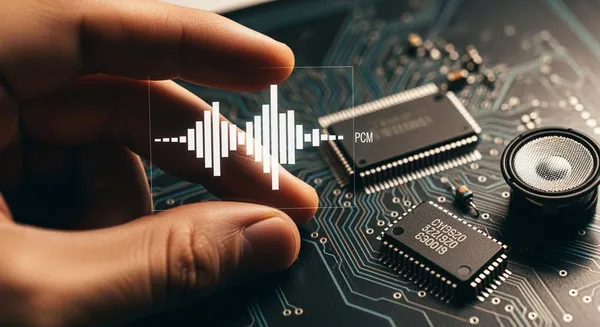
Format audio pcm stands for Pulse Code Modulation, a method that lets you turn analog sound into digital signals. You encounter pcm everywhere, from music players to microcontroller projects, because it supports both raw and compressed audio. If you want reliable, high-quality sound and fewer handshake issues between devices, understanding pcm matters.
PCM ensures compatibility with most audio hardware, making it a stable choice for electronics fans.
| Year | Milestone Description |
|---|---|
| 1937 | Alec H. Reeves invented PCM, leading to patents in France (1938), Britain (1939), and the U.S. (1942). |
| 1943-1946 | Bell Labs utilized PCM in the SIGSALY telephone encryption system. |
| 1962 | First commercial use of PCM in telephone transmission after integrated circuits made it practical. |
| 1978 | Introduction of the PCM-1 14-bit Betamax accessory for consumer audio recording. |
Key Takeaways
- PCM stands for Pulse Code Modulation, a method that converts analog sound into digital signals for high-quality audio.
- Understanding PCM helps you avoid audio quality loss, making it ideal for music players and electronics projects.
- Key factors like sampling rate and bit depth affect audio quality; higher rates and depths yield better sound but require more storage.
- Use PCM in microcontroller projects to easily add audio features, ensuring you match sample rates and bit depths to your hardware.
- Choose PCM or WAV for high-quality audio needs, while MP3 is better for saving space and streaming.
PCM Audio Basics
What is PCM?
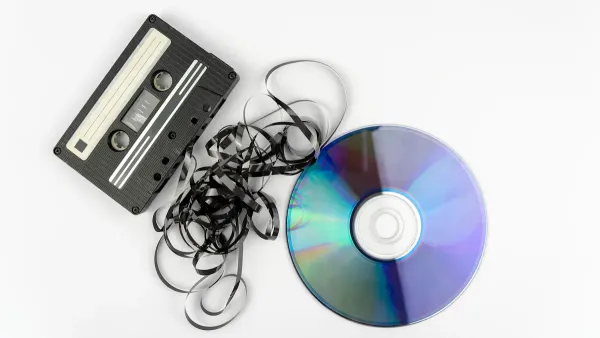
You often hear about PCM when you explore digital audio. PCM stands for pulse code modulation. This method lets you represent analog sound as digital data. In format audio pcm, you sample the original sound at regular intervals and assign each sample a value. This process creates uncompressed audio that you can store, process, or transmit without losing detail. PCM forms the backbone of most digital audio systems, from music players to professional recording equipment. You get high-quality sound because PCM captures the original waveform with great accuracy.
PCM gives you a reliable way to convert real-world sounds into digital signals, making it a favorite for high-fidelity playback and recording.
How PCM Digitizes Sound
When you want to turn analog sound into digital data, PCM follows a clear process. You can break it down into four main steps:
- Sampling: You measure the amplitude of the analog audio signal at regular intervals. The sampling rate must be at least twice the highest frequency in your audio to avoid distortion, a rule known as the Nyquist theorem.
- Quantization: You assign each sample a discrete value based on its amplitude. The number of possible values depends on the bit depth you choose.
- Encoding: You convert these quantized values into binary numbers. This step makes it easy for digital systems to process and store your audio.
- Digital Signal: You arrange the binary codes in sequence to form the PCM signal. This digital stream can travel through circuits or storage devices without losing quality.
PCM stands out because it captures the amplitude of sound waves at very short intervals. This approach gives you a digital signal that closely matches the original analog waveform. You get minimal distortion and preserve the richness of the original sound, which is why PCM is ideal for high-quality audio applications.
Tip: PCM helps you avoid the signal degradation that often affects analog audio, so your recordings and playback stay crisp and clear.
Sampling Rate and Bit Depth
Two key factors shape the quality of your PCM audio: sampling rate and bit depth. The sampling rate tells you how many times per second the system measures the audio signal. Higher sampling rates capture more detail, so your digital audio sounds closer to the original. For most electronics projects, you should use standard rates like 44.1kHz (common for CDs and consumer audio) or 48kHz (used in video production). If you need to archive or work with professional audio, you might choose even higher rates like 96kHz or 192kHz. However, you will notice that beyond a certain point, increasing the sampling rate brings only small improvements in audible quality.
The bit depth determines how many possible values each sample can have. A higher bit depth means more accurate representation of the original sound and a lower noise floor. For example, 16-bit audio gives you a dynamic range of about 96 dB, which is enough for most uses. If you want even better audio quality, you can use 24-bit or 32-bit audio, which increases the dynamic range and reduces quantization noise.
| Bit Depth | Dynamic Range (dB) | Noise Floor (dBFS) |
|---|---|---|
| 16-bit | 96 | -96.3 |
| 24-bit | 144 | -144.5 |
The error level from quantization drops by about 6 dB for each extra bit you add. This means that with higher bit depth, you get cleaner audio and less unwanted noise. Low-level signals are especially sensitive to quantization errors, so using a higher bit depth helps you keep your audio details intact.
- The sampling rate affects how well your digital audio matches the original analog sound.
- Higher sampling rates and bit depths give you better audio quality, but they also require more storage and processing power.
- For most stereo audio projects, 16-bit/44.1kHz PCM offers a great balance between quality and efficiency.
PCM gives you a clear advantage over analog audio. You get high fidelity, minimal distortion, and the ability to store and transmit your audio without losing quality. This makes PCM the top choice for anyone who wants reliable, high-quality sound in electronics projects.
Format Audio PCM in Electronics
Understanding how to use format audio pcm in electronics projects helps you achieve high-quality sound and reliable performance. You can find pcm at the heart of many microcontroller platforms and audio circuits. This section explains how you can work with pcm in your own designs and introduces the most common file types you will encounter.
PCM in Microcontrollers
You often use pcm when you want to add audio features to microcontroller-based projects. Microcontrollers like Arduino and STM32 support pulse code modulation for both recording and playback. You can connect digital microphones or speakers directly to your board and process uncompressed audio data in real time.
Many microcontrollers provide dedicated pins for handling pcm signals. Here is a table showing typical pin names and their functions:
| Pin Name | Direction | Description |
|---|---|---|
| AUD_OUT / PCM_OUT / I2S_OUT / CAM_MCLK | O | Audio data output. PCM synchronous data output. |
| AUD_IN / PCM_IN / I2S_IN / CAM_PCLK | I | Audio data input. PCM synchronous data input. |
| AUD_LRCLK / PCM_SYNC / I2S_WS / PDM_DATA | I/O | Audio left/right clock. PCM synchronous data SYNC. |
| AUD_BCLK / PCM_CLK / I2S_CLK / PDM_CLK | O | Audio bit clock. PCM clock. |
You can use a digital microphone, such as the MP23DB01HP, with development boards like the STEVAL-MKBOXPRO to record pcm audio. When you want to play back audio, you can send pcm data to a speaker using these pins.
Microcontrollers process pcm data for audio playback or recording by encoding the binary data, often using base64 for serial communication. You need a high enough baud rate to transmit pcm data smoothly. For example, a baud rate of 115200 cannot handle 8kHz sample rate at 16-bit depth. You should use at least 170 kbaud for reliable transmission. Serial communication can block the CPU, so you might use DMA buffering for more efficient data handling, though this adds complexity.
| Aspect | Details |
|---|---|
| Encoding Method | Base64 encoding is used for binary PCM data to make it readable over serial communication. |
| Baud Rate | A baud rate of 115200 is insufficient for 8kHz sample rate of 16-bit PCM; at least 170 kbaud is needed. |
| Data Transmission | Serial communication is blocking, meaning the CPU cannot perform other tasks while sending data. |
| Alternative Solutions | DMA buffering could be implemented to handle data more efficiently, though it adds complexity. |
Tip: When you design audio projects with microcontrollers, always check the sample rate and bit depth to match your hardware’s capabilities.
PCM in Audio Circuits
You can use pcm in many audio circuits to achieve clear, uncompressed audio. This approach works well for projects that require high-quality sound or stereo output. Here are some common applications:
- Playing audio files through Arduino without external modules.
- Using pcm for low bitrate audio sample playback via a standard loudspeaker.
- Converting analog audio into digital format for embedded systems.
You can build simple circuits that play back pcm data stored in memory or on an SD card. By adjusting the bit depth and sample rate, you control the audio quality and storage requirements. Many electronics fans use pcm to experiment with sound effects, alarms, or even basic music playback.
PCM also appears in more advanced audio circuits, such as digital-to-analog converters (DACs) and audio processors. These devices rely on pcm to deliver consistent, high-fidelity audio signals. You can use stereo output for richer sound or stick to mono for simpler designs.
When you work with pcm in low-power or resource-constrained electronics, you may face some limitations. The following table highlights common challenges:
| Limitation | Description |
|---|---|
| Programming Spread | Conductance values written into memory can vary unpredictably. |
| Conductance Drift | Values shift over time, potentially degrading performance. |
| Impact on Performance | Uncertainty in stored values can affect the quality of the final output in computing processes. |
Note: Always test your audio circuits for stability, especially if you use pcm in long-term or mission-critical applications.
Common PCM File Types
You will encounter several file types that store pcm data in electronics and audio devices. The most popular formats are WAV and AIFF. Both formats store uncompressed audio, making them ideal for projects that demand high audio quality.
- WAV: A standard audio format developed by Microsoft and IBM. It often contains uncompressed audio in pcm format and works well with Windows systems.
- AIFF: Developed by Apple, this format also typically contains uncompressed audio in pcm format. It is suitable for Mac systems and professional audio work.
The main differences between WAV and AIFF relate to file structure, endianness, and metadata support. Here is a comparison:
| Feature | AIFF | WAV |
|---|---|---|
| File Structure | Chunk-based, versatile | Chunk-based, simpler |
| Endianness | Big-endian | Little-endian |
| Metadata | More flexible, supports MIDI | Less flexible, simpler metadata |
You can choose the format that best fits your platform and workflow. Both formats support stereo and high bit depth, so you can achieve excellent audio quality in your projects.
Callout: Nova Technology Company (HK) Limited is a HiSilicon-designated solutions partner. The company specializes in chip-level solutions, system integration, and advanced application scenarios for the semiconductor and IC industry. You can rely on their expertise for projects involving format audio pcm, digital signal processing, and high-performance audio systems.
By understanding how to use format audio pcm in microcontrollers, audio circuits, and file formats, you can unlock new possibilities for your electronics projects. You gain control over audio quality, storage, and playback, making your designs stand out.
PCM vs Other Audio Formats

PCM vs MP3 and WAV
When you compare format audio pcm with other formats, you notice big differences in compression and audio quality. PCM gives you uncompressed audio. This means you keep every detail from the original sound. WAV files often use pcm as their base, so they also offer lossless audio quality. MP3, on the other hand, uses lossy compression. It removes some data to make files smaller, but this can lower audio quality, especially at low bit rates.
Here is a quick comparison:
| Format | Compression Type | Audio Quality |
|---|---|---|
| WAV | Lossless | Maximum fidelity, retains all audio data |
| MP3 | Lossy | Discards some audio data, quality varies with bitrate |
PCM and WAV are best when you want the highest audio quality for playback or editing. MP3 works well if you need to save space or stream audio over the internet. Remember, higher bit depth in pcm and WAV means better sound, but also larger files.
Tip: Use pcm or WAV for projects where sound quality matters most. Choose MP3 when storage or bandwidth is limited.
PCM vs I2S
You may also see I2S mentioned in audio projects. I2S is not an audio format but a protocol for sending digital audio between chips. PCM is the actual data, while I2S is the bus that carries it. Here is how they compare:
| Feature | I2S | PCM |
|---|---|---|
| Definition | A bus standard for audio data | Pulse code modulation for audio |
| Sampling Frequency | Generally 44.1kHz and 48kHz | Generally 8kHz, 16kHz |
| Signal Structure | 3 main signals: SCLK, LRCK, SDATA | Raw data for digital audio |
| Channel Support | Typically stereo (2 channels) | Mono, stereo, multi-channel |
| Additional Signals | May include MCLK for synchronization | N/A |
You use I2S to move pcm data between chips, such as from a microcontroller to a DAC. PCM describes the way you digitize and store the audio. Both support stereo and different bit depth options.
Choosing the Right Audio Format
When you pick an audio format for your project, you need to think about several factors. PCM gives you high audio quality because it is lossless. You get perfect sound reproduction, which is great for high-fidelity playback or recording. PCM also works with many devices, making it a safe choice for compatibility.
However, pcm files are large. They need more storage and higher bandwidth than compressed formats like MP3. MP3 files are much smaller and easier to stream, but you lose some detail. You must balance audio quality, bit depth, and resource use.
- PCM provides uncompressed audio quality, keeping all the detail and dynamic range.
- Higher sample rates and bit depth improve sound but increase memory and CPU use.
- Sometimes, using more memory is better than using more CPU, especially in embedded systems.
If your project needs the best sound and you have enough storage, choose pcm. If you need to save space or stream audio, MP3 is a better fit. Always match the audio format to your hardware and your goals.
Working with PCM
Reading PCM Data
You can read pcm data from audio files in embedded systems using a simple process. First, you sample the analog signal at fixed intervals. For example, CD-quality audio uses a rate of 44,100 samples per second. Next, you quantize each sample by rounding its amplitude to the nearest value on a scale, often 16-bit for CDs. Finally, you encode these values as binary numbers. Digital devices process and store this data for playback or further manipulation.
When you handle pcm in real-time audio applications, you can use event-driven access for immediate processing. This method works well during VoIP calls. Named-pipe based access lets you stream pcm audio continuously to external applications, which is useful for integrating AI models. You should consider the processing load. Heavy processing on the main thread can cause delays, so use this approach for fewer calls and minimal processing.
Tip: Always check the sample rate and bit depth before reading pcm data. Matching these settings to your hardware ensures smooth operation and high audio quality.
Generating PCM Signals
You generate pcm signals by converting analog audio into digital form. Start with a microphone or audio source. Sample the signal at a chosen rate, such as 44,100 Hz for stereo playback. Quantize each sample to a specific bit depth, like 16-bit or 24-bit. Encode the samples as binary data. You can store this data in memory or send it to a speaker for playback.
Many microcontrollers and audio circuits support format audio pcm. You can use event-driven or streaming methods to handle pcm signals in real time. Adjust the sample rate and bit depth to balance audio quality and resource use. Higher bit depth gives you more detail and less noise, but it requires more storage.
Note: Use standard sample rates and bit depths for compatibility with most audio devices. This practice helps you avoid playback issues and ensures reliable performance.
Troubleshooting PCM Issues
You may encounter several issues when working with pcm in electronics. Common problems include mismatched sample rates, incorrect bit depth, and hardware limitations. The table below shows frequent issues and solutions:
| Issue Type | Description | Suggested Resolution |
|---|---|---|
| Thermal Limits | PCM relays may operate near thermal limits, affecting reliability. | Switch to a higher current rating or a relay with lower contact resistance. |
| Mechanical Wear, Vibration and Shock | Mechanical stress can lead to failures like contact misalignment. | Specify automotive-grade relays with vibration and shock test reports. |
| Environmental Factors | Exposure to moisture and chemicals can cause corrosion and contamination. | Use sealed relays and corrosion-resistant materials; apply conformal coating. |
| Coil Circuit Problems | Issues like under-voltage can prevent proper relay function. | Ensure the coil is driven within specified voltage ranges and check for voltage drops. |
| Design and Selection Mistakes | Poor selection based on price rather than specifications can lead to failures. | Review detailed technical data and ensure relays are rated for specific applications. |
If you face bit depth or sample rate mismatches, you can use a client that performs sample rate conversion. Locking playback to a specific sample rate, such as 44,100 Hz, prevents conversion issues. Make sure your audio system supports the desired sample rate to avoid playback refusal.
Callout: Always review technical data and match your hardware specifications to your pcm settings. This step helps you maintain audio quality and reliable operation.
You gain a strong advantage by understanding PCM in electronics and digital audio. PCM lets you achieve reliable, high-quality sound in your projects. You can experiment with new materials and strategies to improve device performance.
| Strategy | Description |
|---|---|
| Hybrid PCM Systems | Enhance thermal regulation in high-power devices |
| Integration with Nanomaterials | Boost heat dissipation efficiency |
| Active Cooling Methods | Reduce operating temperatures |
Try these approaches to explore PCM technology further. You build better electronics and discover new possibilities in audio and thermal management.
FAQ
What is PCM and why should you use it for recording?
PCM stands for Pulse Code Modulation. You use it for recording because it captures sound in its purest form. This method gives you clear audio without compression. Many devices rely on PCM for accurate sound reproduction.
How does dolby technology relate to PCM audio?
Dolby technology enhances PCM audio by reducing noise and improving clarity. You experience better sound quality when dolby processes PCM signals. Many home theaters and professional systems use dolby with PCM for immersive listening.
Can you use PCM for high-fidelity applications?
You can use PCM for high-fidelity applications. PCM preserves every detail of the original sound. Studios and audiophiles prefer PCM because it supports precise audio reproduction. You get the best results in high-fidelity applications with PCM.
Why do electronics fans choose PCM for recording and playback?
Electronics fans choose PCM for recording and playback because it offers reliable performance. You get consistent results with PCM. Devices like microcontrollers and audio circuits use PCM for easy integration and high-quality sound.
What makes dolby important in modern audio systems?
Dolby is important in modern audio systems because it improves sound clarity. You hear less background noise and more detail. Dolby works with PCM to deliver rich audio experiences in movies, music, and gaming.