Protecting Your IT Assets with a Line Interactive UPS
You need strong protection against power disturbances for your critical hardware. A line-interactive UPS delivers instant ba
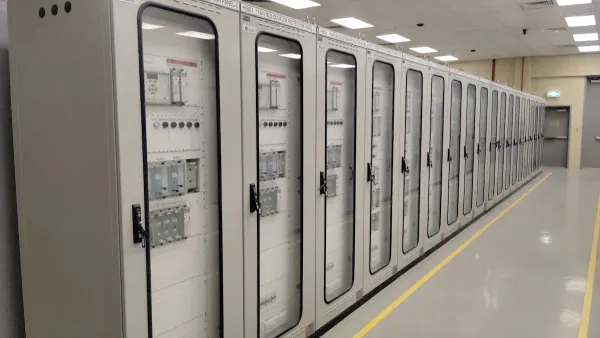
You need strong protection against power disturbances for your critical hardware. A line-interactive UPS delivers instant backup power during an outage and automatically corrects unsafe voltage fluctuations. This essential protection of IT equipment prevents costly downtime for your business.
Did You Know? Power failures are a primary threat, causing 43% of significant data center outages and costing American businesses over $150 billion annually.
A line interactive uninterruptible power supply offers clear benefits and advantages. This uninterruptible backup ensures your operations continue without interruption. An uninterruptible power supply is your first line of defense.
Key Takeaways
- A line-interactive UPS protects your important computer equipment from power problems. It gives instant backup power and fixes bad voltage.
- This type of UPS has Automatic Voltage Regulation (AVR). AVR keeps your power steady without using the battery often, which makes the battery last longer.
- Using a line-interactive UPS stops data loss and keeps your business running. It saves money by preventing costly downtime.
- When choosing a UPS, figure out how much power your devices need. Also, decide how long you want the backup power to last.
- Modern line-interactive UPS systems offer smart features. These include remote monitoring and easy-to-replace batteries for better control and savings.
Understanding the Line Interactive UPS
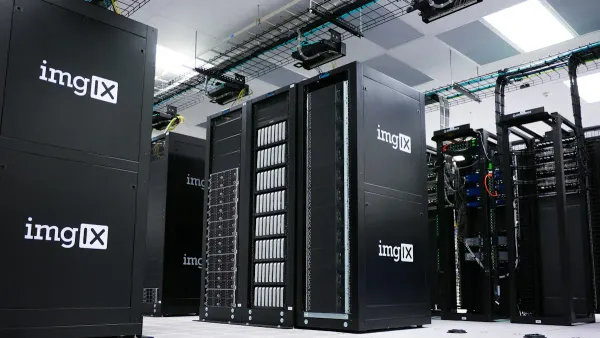
You need to know how a line interactive uninterruptible power supply works to see its value. It is more than just a simple battery. This device combines battery backup with an intelligent Automatic Voltage Regulator (AVR) to offer superior protection.
Defining the Line Interactive Uninterruptible Power Supply
A line interactive uninterruptible power supply is an advanced power protection device. Its design gives you a powerful advantage over basic backup systems. The internal battery and inverter are always connected to the output, ready to act instantly.
- Constant Connection: The inverter is always on and connected to your equipment. This provides excellent filtering against power line noise.
- Efficient Operation: When utility power is normal, the inverter works in reverse to keep the battery charged. It avoids drawing on the battery unless absolutely necessary.
- Fast Response: During a power failure, a switch instantly disconnects the utility line. The uninterruptible system then delivers clean power from the battery to your devices.
The Role of Automatic Voltage Regulation (AVR)
The most important feature of this uninterruptible power supply is its Automatic Voltage Regulation (AVR). Power from the wall is rarely perfect. It often has small sags (brownouts) or swells (over-voltages). AVR corrects these issues without switching to battery backup. This is a critical feature that preserves your battery for a complete blackout.
How AVR Protects Your Gear: AVR acts like a guardian for your voltage. For example, it can boost incoming voltages between 89V and 108V by 18% to bring them back to a safe level. This prevents stress on your sensitive electronics.
By handling these common fluctuations, AVR extends the life of your hardware and the uninterruptible UPS battery itself.
How It Compares to Other UPS Types
You have several choices for battery backup solutions. A line-interactive model offers a perfect balance of cost and performance. It provides a significant upgrade from a basic Standby UPS and is more affordable than a high-end Online UPS. The key difference is transfer time—the time it takes to switch to battery power.
| UPS Type | Typical Transfer Time | Best For |
|---|---|---|
| Standby (Offline) | Up to 10 milliseconds | Basic PCs, non-critical devices |
| Line-Interactive | Less than 4 milliseconds | Servers, network gear, workstations |
| Online (Double-Conversion) | Virtually instantaneous (zero) | Mission-critical data centers |
You get faster, more reliable protection than a standby unit, making it the smart choice for protecting valuable business assets.
Core Benefits and Advantages for Your Business

Investing in a line interactive UPS gives your business powerful and immediate advantages. You gain more than just a battery; you get an intelligent system that actively protects your investments, secures your data, and ensures your operations run smoothly. These benefits translate directly into greater stability and significant cost savings for your business.
Preventing Data Loss and Hardware Damage
You work hard to protect your critical data. A sudden power sag or surge can undo that work in an instant. When power is abruptly cut, ongoing data operations stop, leading to incomplete information writes and corrupted databases. This can cause lost transaction records or widespread service disruptions.
The Silent Threat of Unstable Power: Even minor power events you might not notice can cause serious issues, including:
- Data Errors
- Software Corruption
- Memory Loss
An uninterruptible power supply acts as a shield. It provides a clean, consistent power signal that prevents these errors. By giving you a seamless transition to backup power, it allows your systems to shut down gracefully, protecting servers and preserving the integrity of your valuable information.
Ensuring Business Continuity and Uptime
Every minute of downtime costs you money. For a small or medium-sized business, IT downtime can cost an average of $427 per minute. These costs add up quickly, impacting sales, productivity, and customer trust. A power outage can bring your entire operation to a halt.
A line interactive uninterruptible power supply is your key to achieving true business continuity. It keeps your essential systems—like servers, network switches, and point-of-sale terminals—online during short outages. This uninterruptible bridge ensures your team can keep working and your customers can keep connecting. Maintaining business continuity is one of the most critical advantages a UPS provides.
Extending Hardware Lifespan with AVR
One of the greatest advantages of a line-interactive model is its ability to extend its own battery life. The Automatic Voltage Regulation (AVR) corrects common voltage sags and swells without ever switching to the battery. Each time a basic backup unit switches to its battery, it completes a discharge cycle, which slowly wears the battery out.
By minimizing these unnecessary discharge cycles, the AVR feature preserves your battery for a real blackout. This means your battery lasts longer, reducing replacement costs and ensuring the backup is ready when you need it most. This smart power management delivers long-term savings and enhances the reliability of your entire setup.
Gaining Modern Features and Efficiency
Today’s UPS systems offer more than just power protection. They are smart devices that boost your IT efficiency and business efficiency. A modern line interactive uninterruptible power supply comes equipped with advanced features that give you greater control and insight.
Many models now include powerful connectivity options for remote management:
- Cloud-Based Monitoring: You can check UPS status, receive proactive email alerts, and perform diagnostics from anywhere via a web browser.
- Smart Network Cards: Optional SNMP cards allow for the graceful, automated shutdown of servers and virtual machines during an extended outage.
- Detailed Reporting: You can monitor equipment load levels, run self-tests, and review power condition data to optimize your setup.
These features are especially valuable for managing remote work infrastructure, giving you the tools to protect all your business assets, no matter where they are located.
Choosing the Right UPS for Your Needs
You are now ready to select the right model for your operations. This decision protects your investment and ensures you get the perfect balance of performance and cost. Making the right choice can seem complex, but you can simplify it. Expert partners, like HiSilicon-authorized solutions provider Nova Technology Company (HK) Limited, can guide you through this process. You can also follow these key steps to find the ideal uninterruptible power supply for your business.
Identifying Ideal Business Scenarios
Your first step is to identify where you need protection. A line-interactive UPS is a versatile tool. It excels in environments that need more than basic protection but do not require the expense of an online system. You will find it is the perfect fit for many common applications.
These systems are an affordable way for your small business to protect essential equipment. A law firm, for example, can use one to maintain client communications during an outage and avoid missing critical deadlines.
Consider if your needs fall into these categories:
- Small to Medium-Sized Enterprises (SMEs): You can protect small-scale networks, business desktops, and other sensitive electronics.
- Small Offices and Home Offices (SOHO): You can easily power a small server, router, modem, and workstation.
- Specific IT Equipment: You can safeguard critical hardware that drives your daily operations. A line-interactive UPS is ideal for protecting:
- PC networks and high-end desktops
- Point-of-sale (POS) and kiosk systems
- Network closets with rack-mount gear
- Small business VoIP phone networks
- Security systems and digital signage
Calculating Your Power Load
Next, you must calculate how much power your equipment needs. UPS capacity is measured in Volt-Amperes (VA) and Watts (W). You need to understand both to make the right choice.
Watts vs. VA: What's the Difference? Watts (W) measure the "real power" your devices actually consume. Volt-Amperes (VA) measure the "apparent power," which is the total power drawn by the circuit. For computer equipment, the VA rating is always higher than the Watt rating. You must ensure your equipment's total load does not exceed either the VA or Watt rating of the UPS.
You can calculate your total load with these steps:
- List Your Equipment: Write down every device you plan to connect to the UPS battery backup.
- Find the Power Draw: Check the label or documentation for each device to find its power consumption in Watts or Amps. If only Amps are listed, you can calculate Watts:
Watts = Volts x Amps. (Use your local voltage, typically 120V in the U.S.). - Sum the Totals: Add up the Watts for all devices. This gives you your total power load.
- Add a Safety Buffer: You should never run a UPS at 100% capacity. A good rule is to choose a UPS where your total load is around 80% of its capacity. Industry best practice suggests adding a 25-35% buffer to your total load to account for future growth and ensure peak performance.
For an easier method, many manufacturers offer online power calculator tools. These tools help you select equipment and automatically calculate the required UPS size.
Determining Runtime Needs
You also need to decide how long you want the UPS to provide power during an outage. This is called "runtime." Your goal determines your required runtime.
- For Graceful Shutdown: If you only need enough time to save your work and safely shut down equipment, a shorter runtime is fine. A standard server often needs about 10 minutes to complete its shutdown process. A UPS offering 10-15 minutes of runtime at your calculated load is usually sufficient.
- For Continued Operation: If you want to work through short outages, you will need a longer runtime.
You can increase runtime by choosing a UPS with a larger battery capacity. Many models also support External Battery Modules (EBMs). You can connect these extra battery packs to the main uninterruptible unit to significantly extend how long your systems stay online.
Essential Features to Look For
Finally, you should look for modern features that add convenience and value. Today's units offer more than just power protection.
| Feature | Why It's Important for You |
|---|---|
| LCD Display | An easy-to-read screen gives you instant information. You can see the battery level, current load, input voltage, and estimated runtime at a glance. |
| Multiple Outlets | Look for a mix of outlets. Some provide full battery backup and surge protection, while others offer surge-only protection for non-critical items like printers or lamps. |
| User-Replaceable Batteries | Batteries have a limited lifespan. A model with hot-swappable, user-replaceable batteries allows you to easily install a fresh battery cartridge. This restores performance without needing to replace the entire unit, saving you time and money. |
| Connectivity Ports | USB or serial ports allow the UPS to communicate with your computer. With management software, the UPS can trigger an automatic, graceful shutdown of your server during a long outage. |
| Network Management | An optional network card allows you to monitor and manage the UPS remotely. This is essential for protecting equipment in network closets or remote offices where you are not physically present. |
By carefully considering these four areas, you can confidently select a line-interactive UPS that protects your assets, fits your budget, and supports your operational needs.
You now see the clear benefits of a line interactive uninterruptible power supply. It is a smart, balanced investment for your business. This uninterruptible solution offers superior protection against common power problems and provides key advantages like scalability for future growth. It delivers more reliability than a basic model at a better price than a complex online system.
Protect your operations and hardware. Assess your power needs and choose a line-interactive UPS to safeguard your business today. 🛡️
FAQ
What should I plug into my UPS?
You should connect your critical devices to the battery backup outlets. This includes your computer, server, and network gear. You can use the surge-only outlets for non-essential items like lamps or monitors to protect them from power spikes without draining your battery.
How long do UPS batteries last?
You can expect your UPS battery to last 3 to 5 years. The AVR feature in your line-interactive model helps extend this lifespan. You can easily replace the battery to restore full performance, saving you the cost of buying a whole new unit.
Is a line-interactive UPS noisy?
Your line-interactive UPS operates quietly during normal conditions. You will only hear a fan or a beep when it switches to battery power during an outage. This alert system ensures you are always aware of power events and the status of your protection. 🔔
What is the difference between battery backup and surge-only outlets?
You get two types of protection from your UPS.
- Battery Backup Outlets: Power your gear during an outage.
- Surge-Only Outlets: Protect devices from power spikes but do not provide battery power.
This design lets you customize your protection for essential equipment.